Before starting the tutorial we will briefly explain what DNS are.
What are the DNS of an internet domain?
According to Wikipedia, DNS (domain name system / Domain Name System) is a decentralized hierarchical naming system for devices connected to IP networks such as the Internet or a private network. This system associates various information with the domain name assigned to each of the participants. Its most important function is to translate names that are intelligible to people into binary identifiers associated with the equipment connected to the network, this with the purpose of being able to locate and address these equipment worldwide.
If I know, it is very technical, the following question will clarify the situation.
Why should DNS be assigned to an Internet domain?
Translated for the general public and so that the majority of readers understand it, we are going to separate the concepts.
When someone acquires an internet domain, it means that they become the owner of a domain for which they must pay an annual fee to an institution; in this case Nic Argentina, for using that domain, but this does not mean that the website can now function.
Once the webmaster has developed the website and uploaded the files to the hosting that you have contracted, he must "notify" the entity that regulates the domains; in this case Nic Argentina, where his website is hosted. In this way, your website will be visible to the general public.
Who gives you the DNS for your domain?
The company that provides the web hosting service must give you the DNS for your website.
Tutorial
Enter Nic Argentina
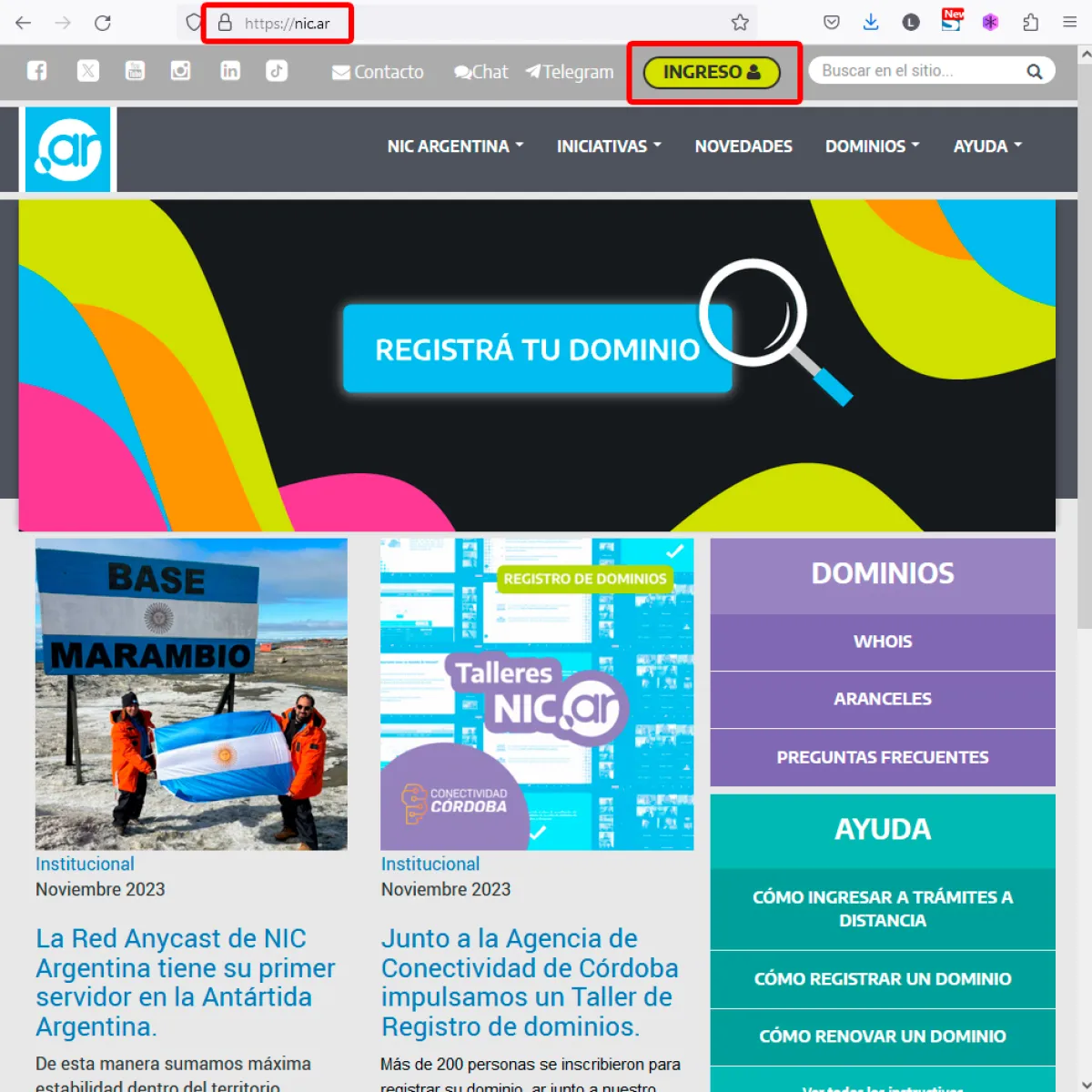
Open your browser and enter the Nic Argentina website
Once on the Nic Argentina website, in the upper right sector of the website click on the "Enter" link
Entry into Remote Procedures
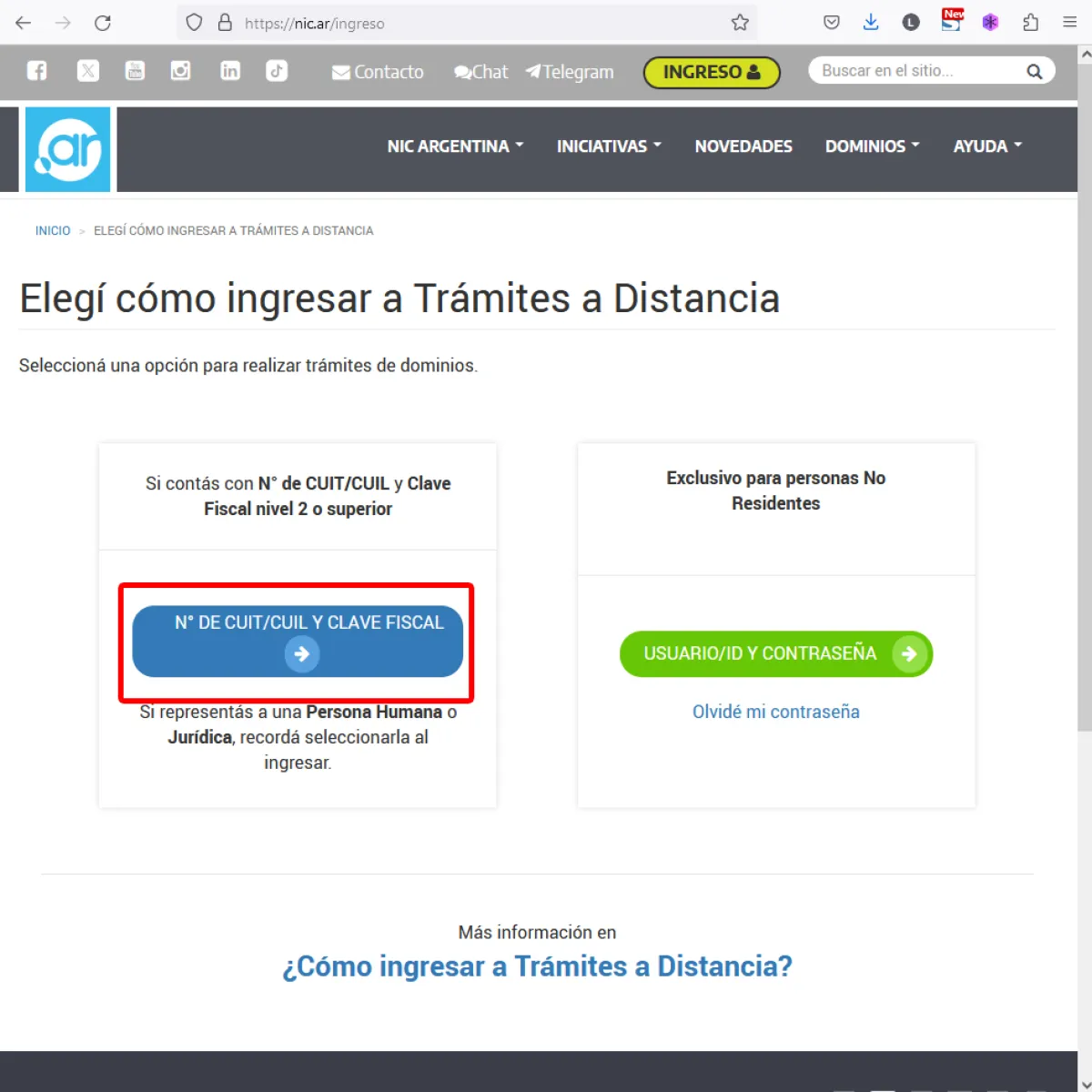
Remember that you must be previously registered in AFIP to be able to operate with the domains and have a type 3 tax code.
To be able to log in to Nic Argentina the system will ask for your CUIT and Tax Code, if you don't know it, ask your accountant.
CUIT Income
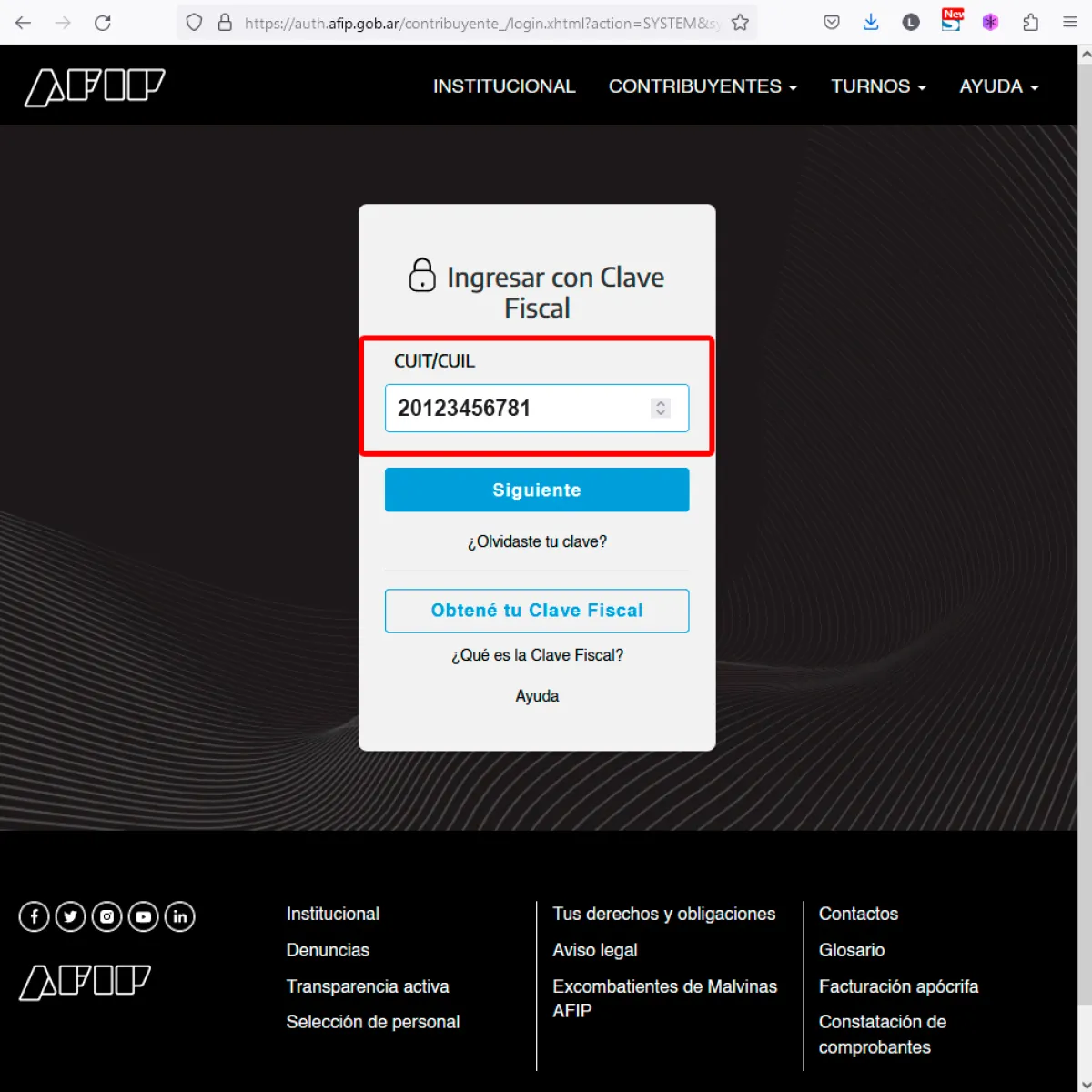
3.1 Enter your CUIT, only numbers, without hyphens or spaces
Then click on the Next button.
Tax Code
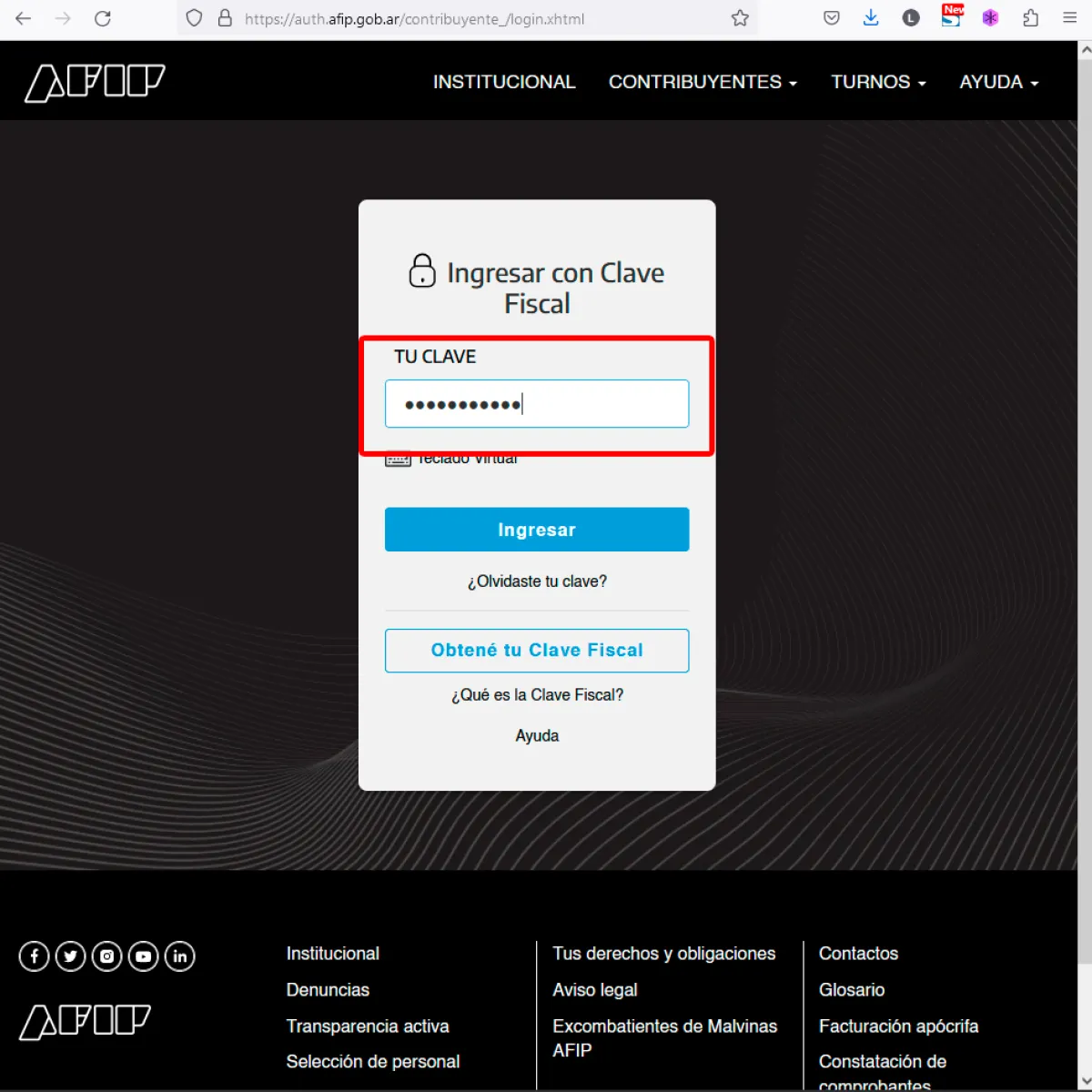
3.2 Enter your Tax Code
Once you have entered your Tax Code, click on the Enter button.
Domain List
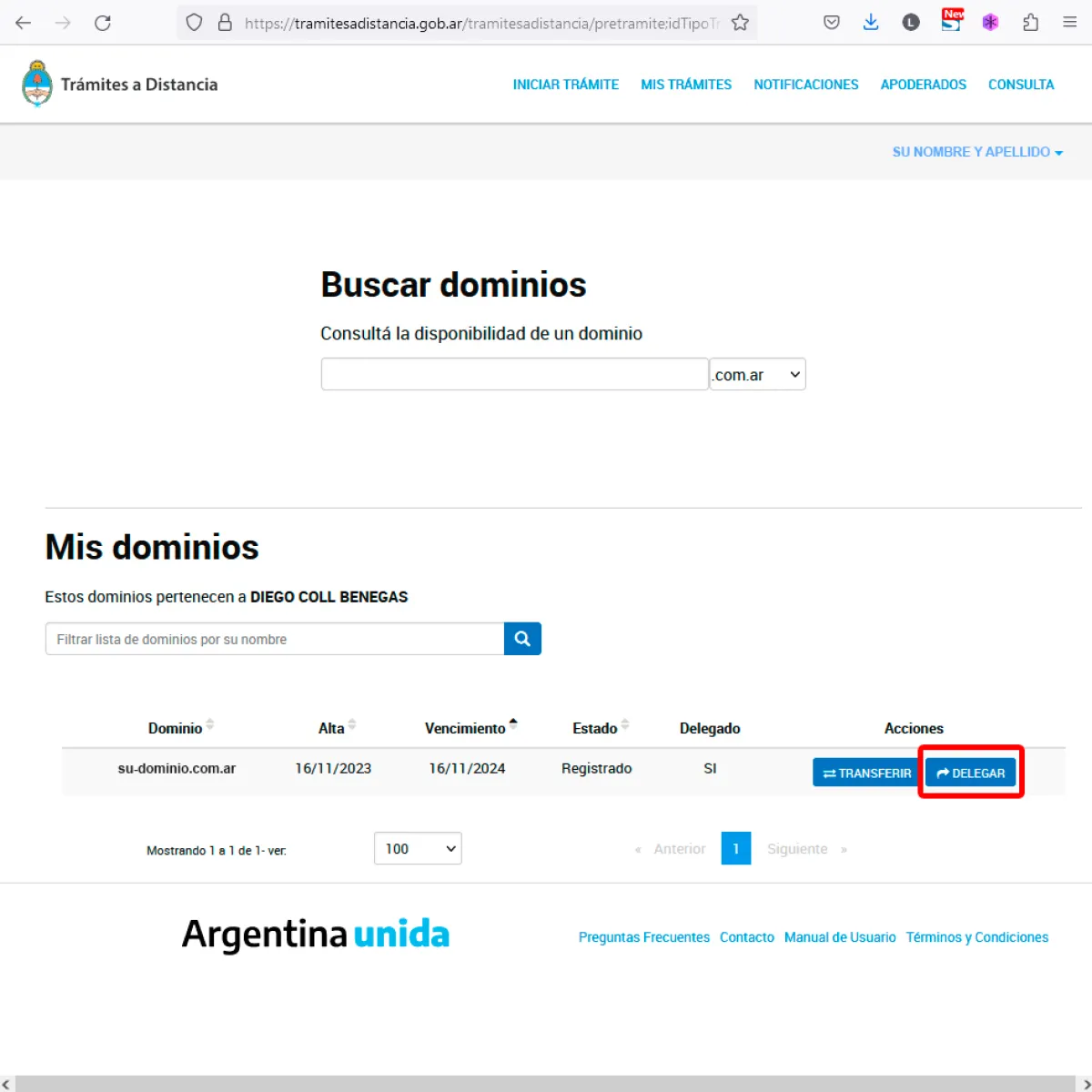
Once you have logged in, you will be shown a list of your purchased domains.
Identify which domain you want to add or modify the DNS to.
On the same line of the domain, in the right sector, find the column ACTIONS, click on the button called DELEGATE.
DNS list. How to add new DNS?
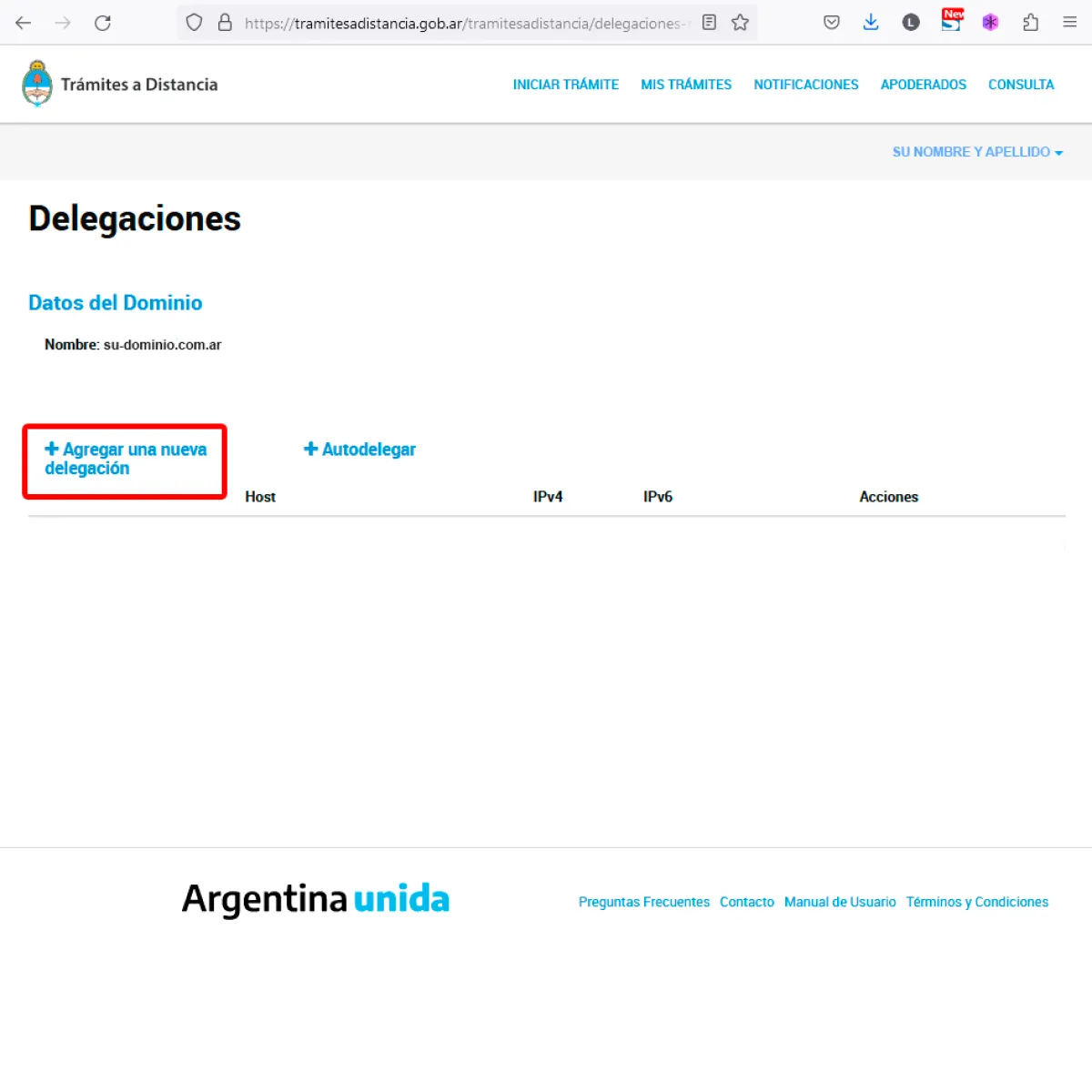
If your domain does not yet have DNS, follow the following instructions
Keep in mind that the DNS data for your domain will be provided by your hosting provider or your web designer.
Click on the ADD A NEW DELEGATION button.
If your domain already has DNS added and you want to modify them, skip to point 9 and follow the instructions.
Add DNS1
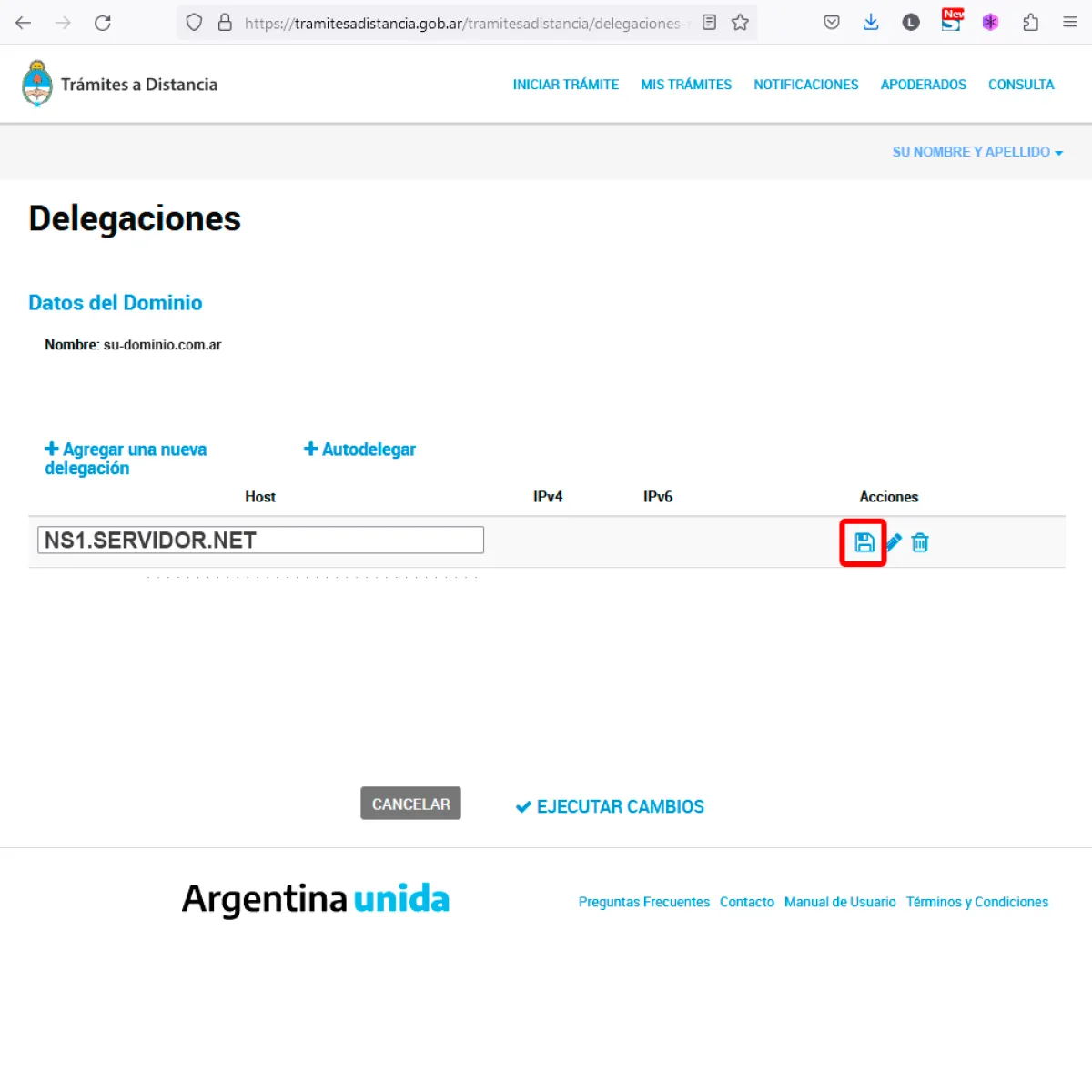
A screen similar to the example image will appear.
Complete the HOST field with the DNS1 data, it is recommended to copy it and then paste it to avoid making any typing errors. Then click on the SAVE button (diskette icon).
Repeat the operation from the previous point to add more DNS.
Add DNS2
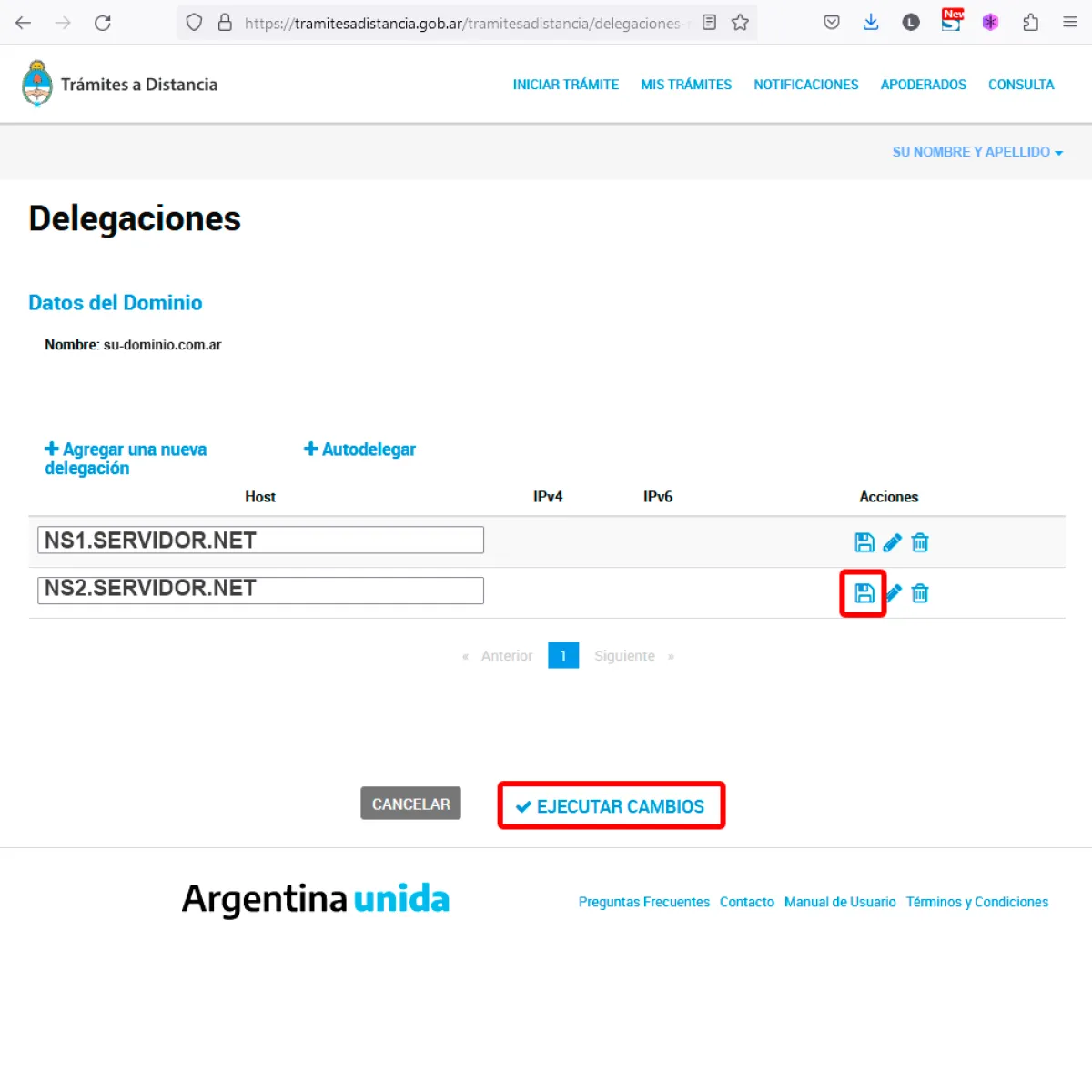
In the same way as the previous point, add DNS2.
Although it is not common for a domain to have more than two DNS, repeat the steps until all the DNS requested by the technicians are added.
Once all the DNS have been added, click on the EXECUTE CHANGES button.
DNS list. How to modify the DNS of your domain?
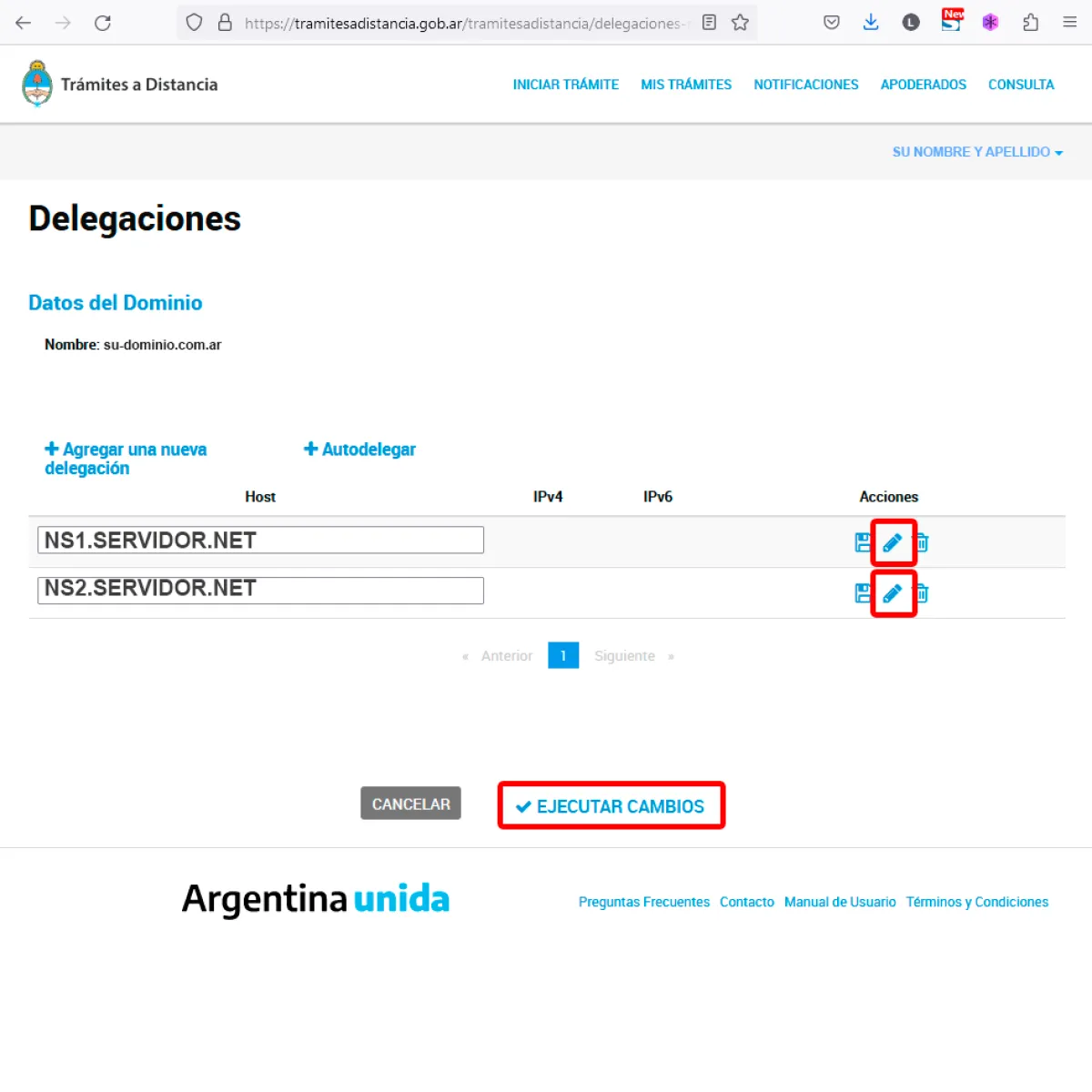
If your domain already has DNS and you want to change them, follow the instructions.
The DNS will generally be provided by your hosting service or your web designer.
To change each DNS click on the MODIFY icon (pencil) on the right, the HOST field will be enabled and write the new DNS, once changed, click on the SAVE icon (diskette).
Once the respective modifications have been made, click on the EXECUTE CHANGES.
button.Sign Out
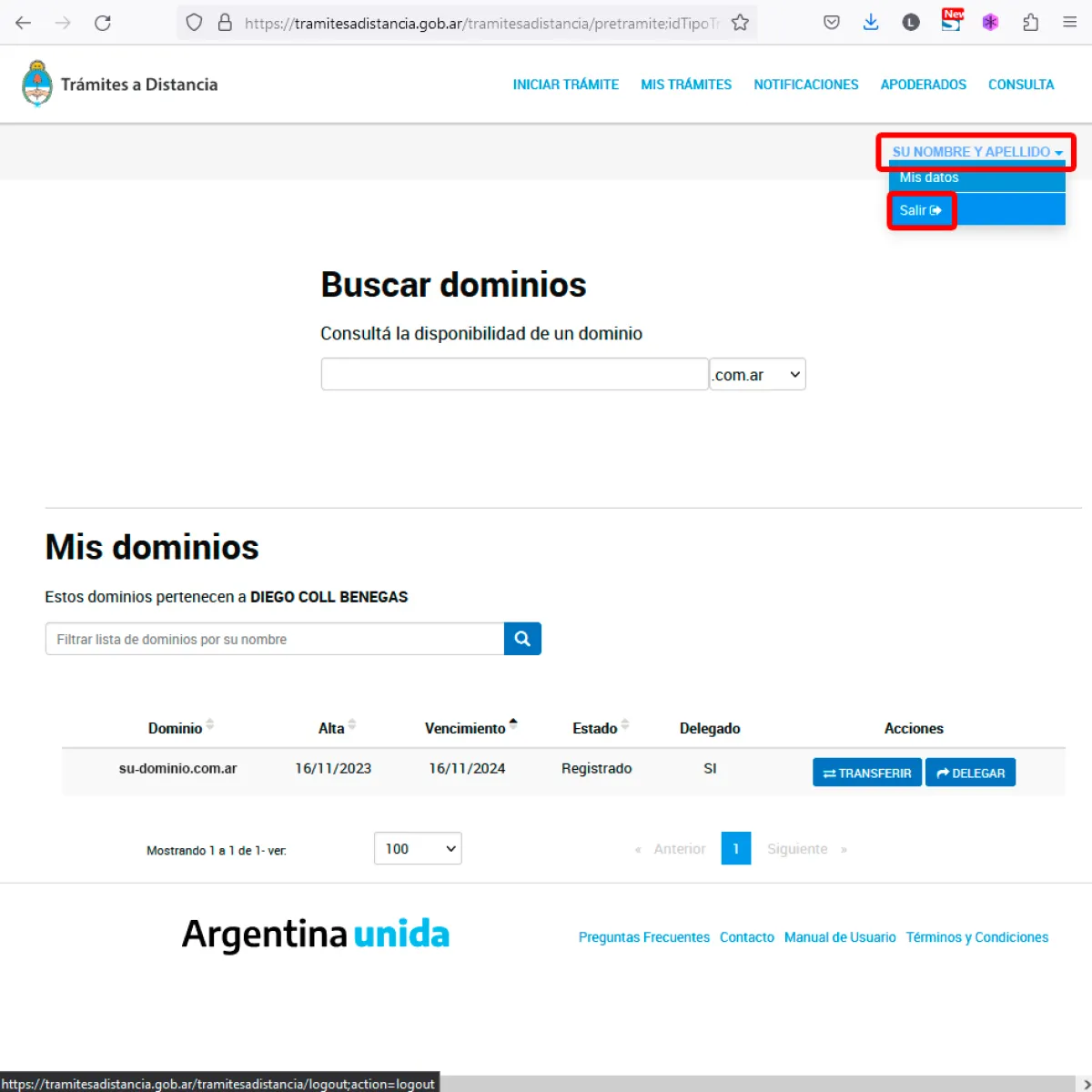
Once all DNS have been added or modified, you will need to log out.
Once the process is completed, Nic.Ar will proceed to update the DNS for your domain. Normallythe process lasts approximately 2 hours, in the worst case it can take up to 24 hours.
For security, log out, as shown in the example image.
That's all, I hope it's useful and you know you e welcome to suggest and/or comment on this tutorial.
Updated on: 18/05/2023 00:00:00