Given the number of doubts from Nic.Ar users about transferring a domain or changing its ownership, we decided to put together a brief step-by-step tutorial.
But before starting, it is necessary and very important to clarify that the CUIT recipient of the domain, that is, the new owner, must be registered and registered in Nic.Ar. To be registered in Nic.Ar, you must have a CUIT and its corresponding tax code in AFIP.
The domain owner must enter Nic.Ar
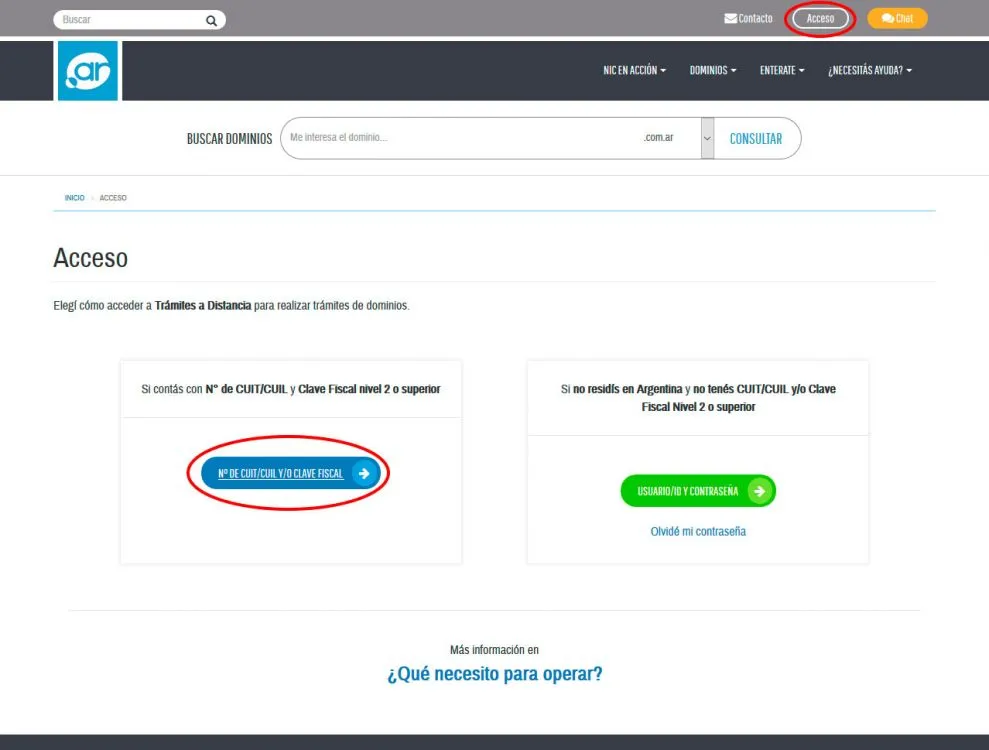
The first thing the Owner must do is enter the Nic Argentina website
To do this you must enter from a browser: https://nic.ar/
And then enter your CUIT and corresponding tax code.
Start Process
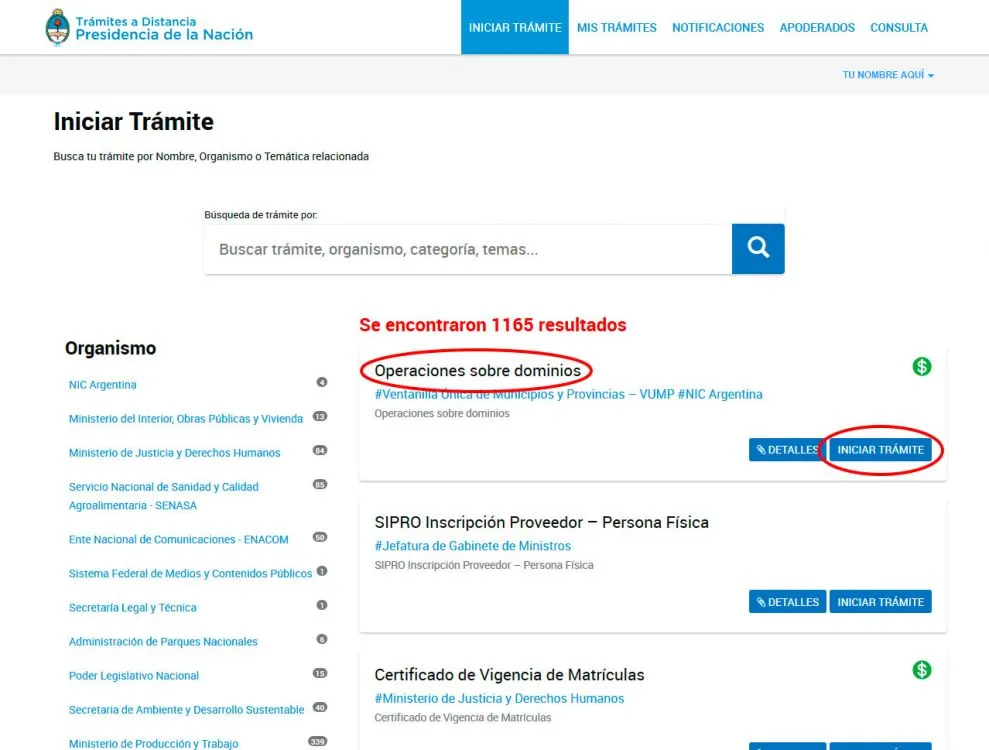
Once you have entered the Nic.Ar system, you must select "Start Process"
Locate the domain and choose to transfer it
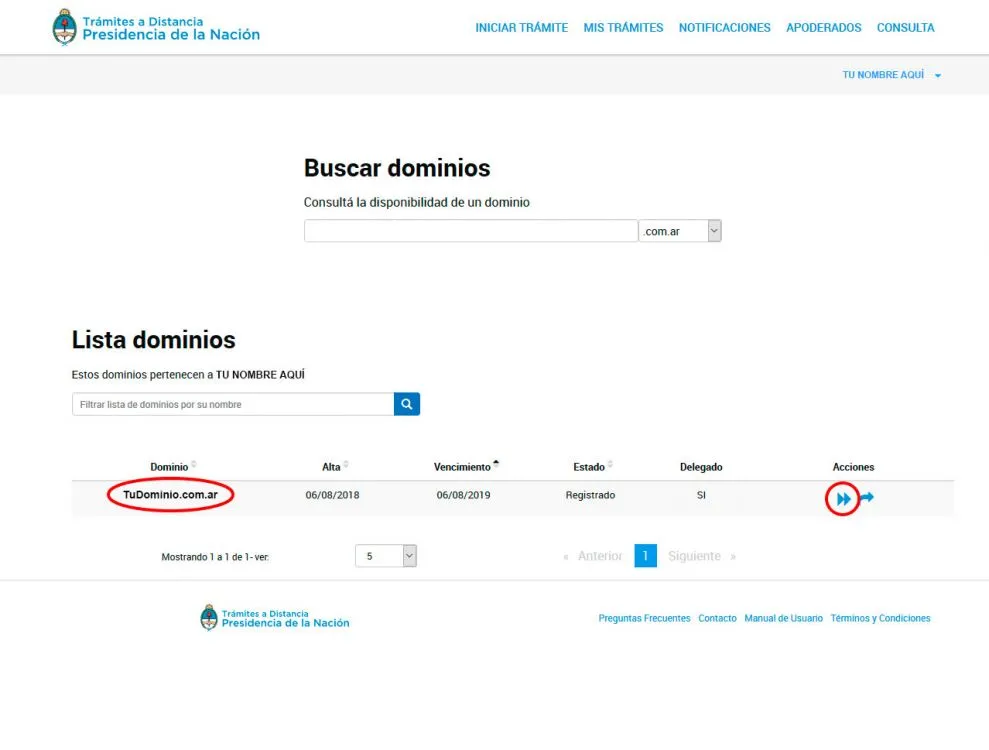
You will need to choose which domain to transfer. Each domain has an icon with two arrows.
Click on the arrows as indicated in the image to transfer the domain to another CUIT
Assign the CUIT of the new domain owner
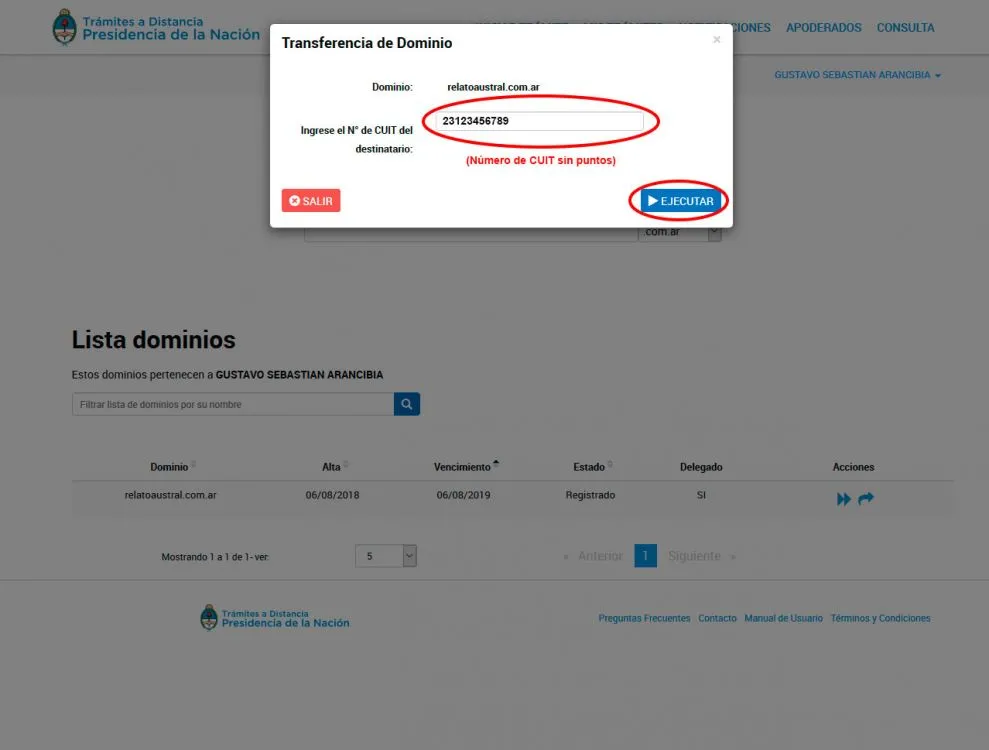
A pop-up window will appear. Complete the Applicant CUIT (New Domain Owner)
Then click on the "Run" button.
Nic.Ar will confirm the transaction
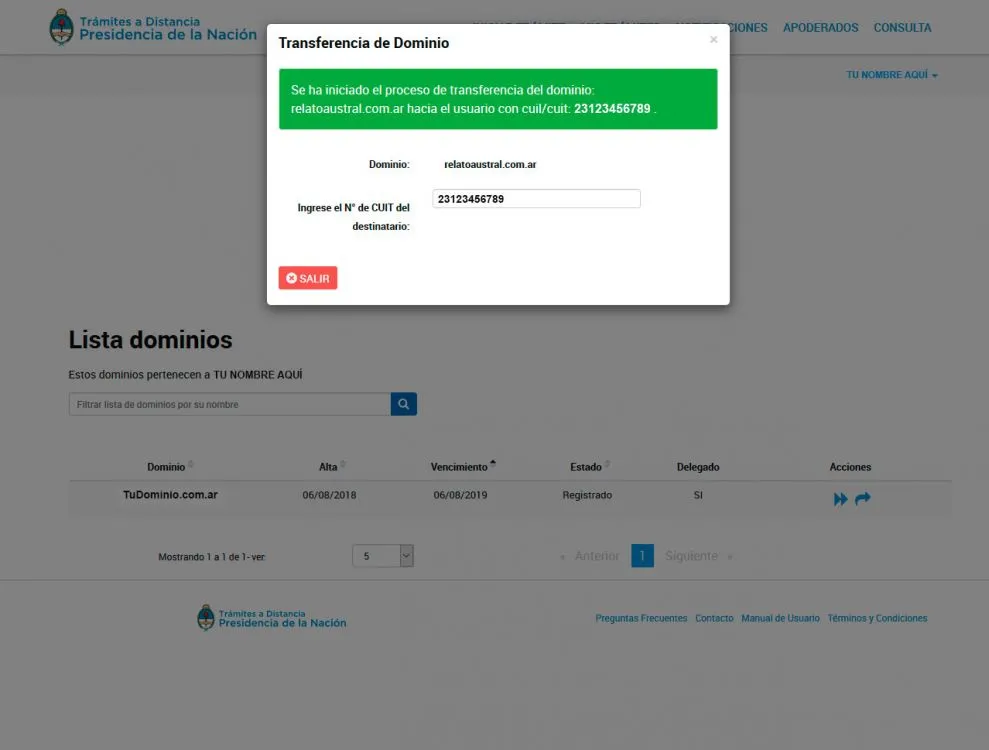
This concludes the first stage of the transfer and the procedures by the domain owner.
If the CUIT is correct and is enabled in Nic, it will show a green sign with the success of the transfer as shown in the image.
Otherwise, an error message will appear and the possible reasons for this are:
- The CUIT is not registered in AFIP or does not have a tax code
- The CUIT is not registered in Nic.Ar
You must do both verifications to be able to complete the procedure.
The new Owner must enter Nic.Ar to receive the domain
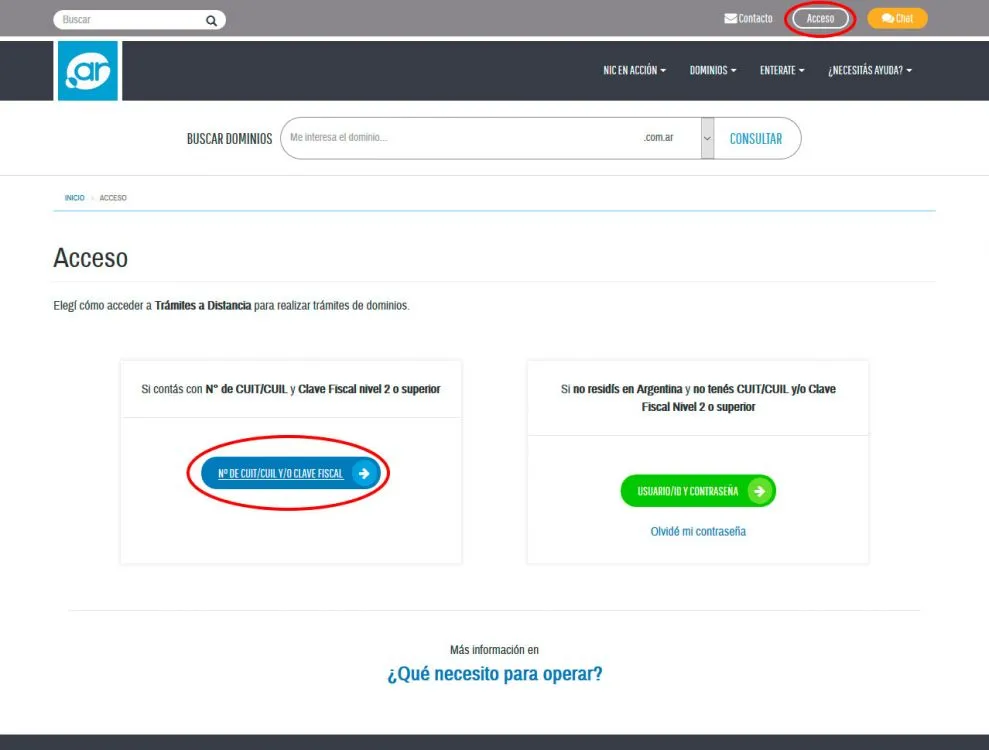
Logically, the domain owner will notify the new owner of the completion of the process.
The applicant must enter Nic.Ar with their CUIT in the same way as indicated in point one of this tutorial.
Access My Procedures
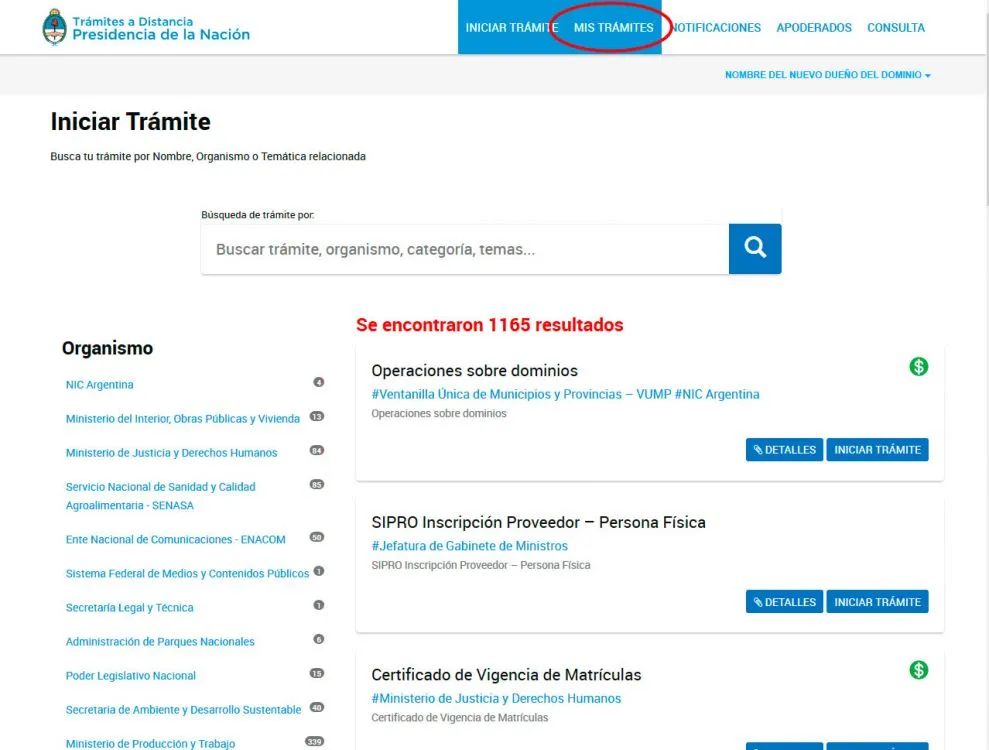
In the top menu, click on "My Procedures" as indicated in the image
Accept the domain transfer
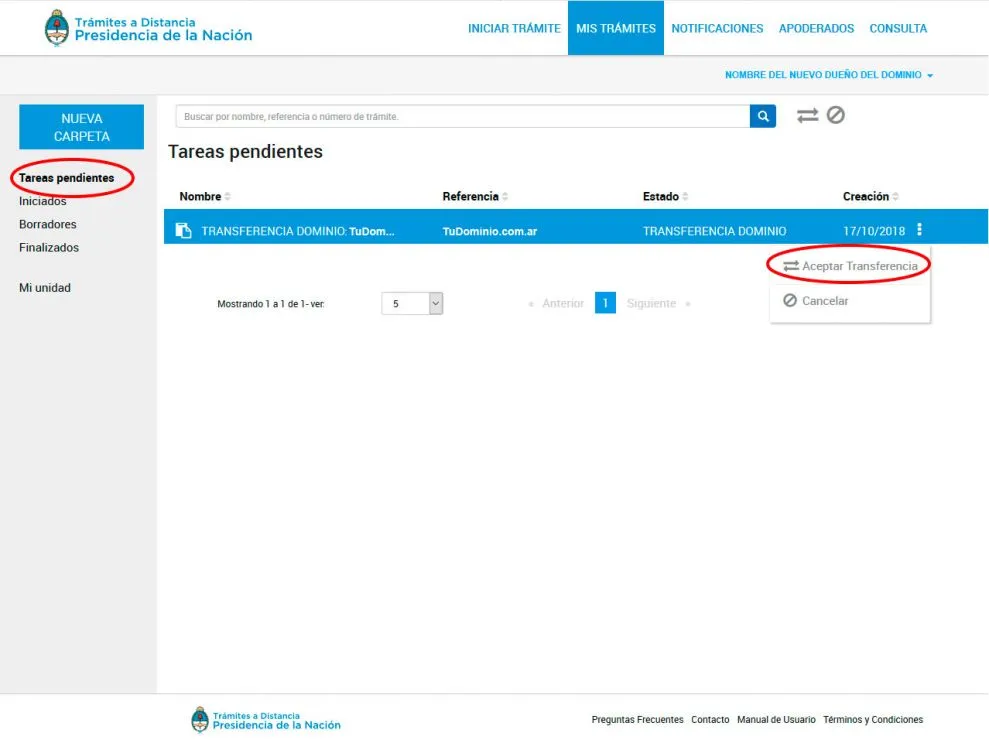
On the new screen, on the left side you will see a link called "Pending Tasks", click.
You will notice that you have a pending procedure to carry out, "DOMAIN TRANSFER". On the same row of the domain, in the right sector you will notice an icon with three vertical dots. When you click on it, a menu will be displayed with the option "Accept Transfer", click to continue the process or "Cancel" if you do not wish to receive the domain.
Complete registration information
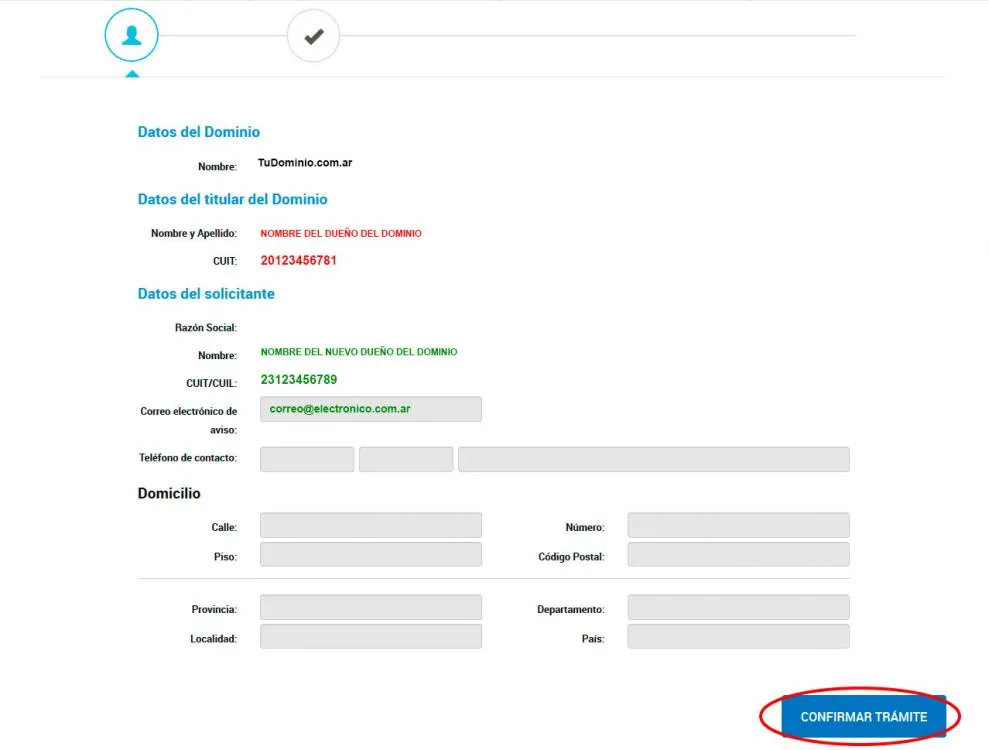
To complete the operation, Nic.Ar offers you a screen to complete your personal and tax information.
Complete if necessary and click on the "Confirm Procedure" button
Pay transfer fee
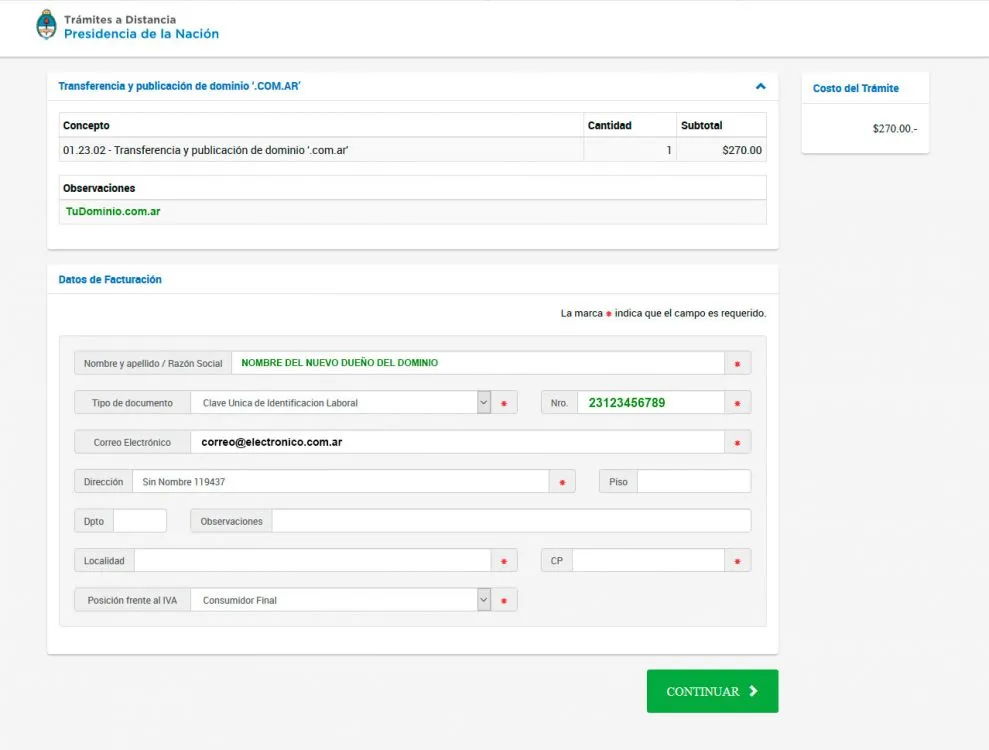
The process is not free, Nic.Ar will charge you a fee to complete the operation.
Click on the "Continue" button
Select payment method to finish
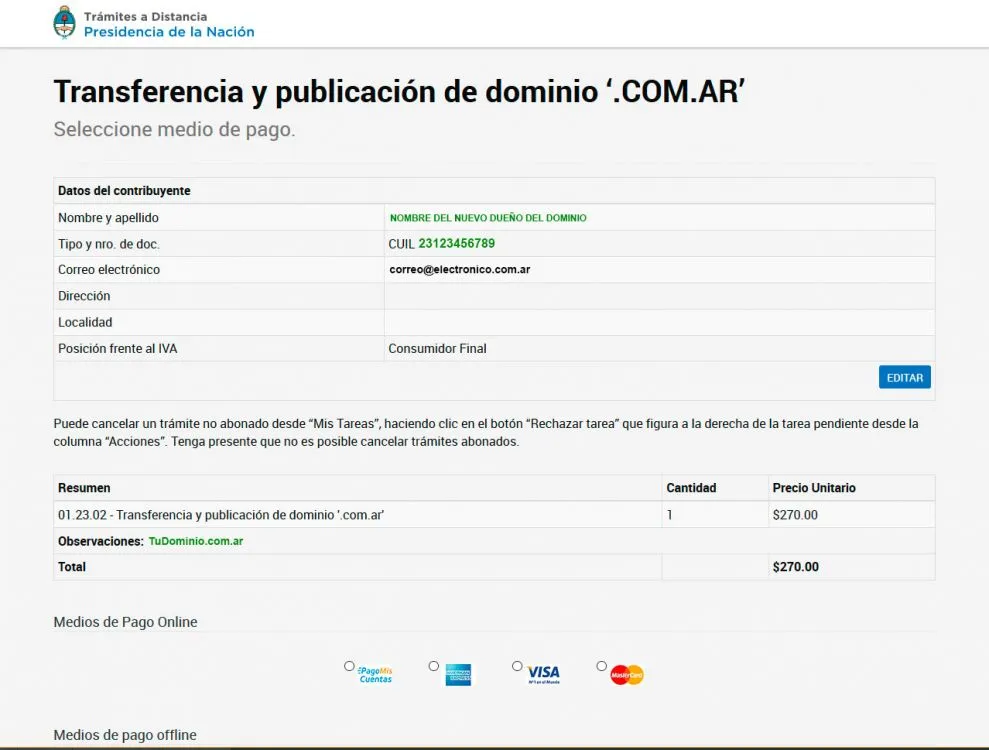
Finally, choose the payment method and once Nic.Ar charges the payment, the transaction will be completed.
We recommend using a credit card since it is charged immediately.
I hope this tutorial is helpful, and remember, don't forget to comment and share!
Updated on: 18/10/2018 00:00:00

Diseño de Sitio Web
Diseñamos sitios web profesionales, modernos, rápidos y optimizados para convertir visitas en potenciales clientes, aumentando tus ventas.