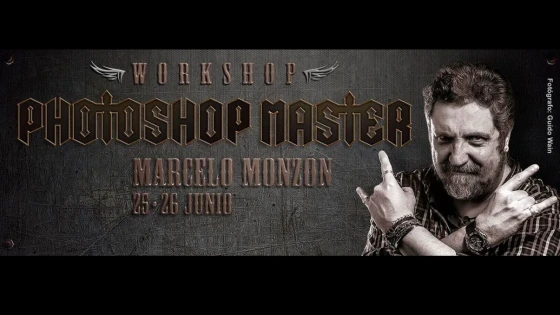
Hospital Creativo, one of the most prominent advertising agencies in the medium, organizes the 1st Adobe Photoshop Creative Workshop taught by a luxury trainer: Marcelo Monzón
The call promises two intensive days of pure Photoshop, so much so that they do not offer seats for the event, but rather beds. Very relaxed, Sergio Mendoza, one of the directors of the Creative Hospital, tells us that the idea is to optimize the tools and resources available to Photoshop to obtain professional quality results such as retouching, photomontage, graphic production, among other functionalities.
The workshop is designed to develop, in students or professionals in the digital image sector, the ability to solve problems conceptual concepts, at the same time that it will allow you to acquire solid knowledge of the use of Adobe Photoshop tools, as well as the main techniques of digital retouching.
Tips
General objective
Know all the possibilities of Photoshop both in terms of tools, as well as graphic production processes, such as photographic editing, photomontages, illustrations and web images.
Capacitor
Marcelo Monzón from Buenos Aires
About his career and work: http://www.marcelomonzon.com.ar/
Recipients
Graphic Design Students and Professionals, Illustrators, Photographers
NOTE: Participants must have their Notebook and master the basic tools and Photoshop resources.
Dates and times
In total there are 12 (Twelve) clock hours.
- Saturday, June 25: 9:00 a.m. to 1:00 p.m. / 5:00 p.m. to 9:00 p.m.
- Sunday, June 26: 5:00 p.m. to 9:00 p.m.
Costs
Reservation: $350.- + Cancellation until June 15
- Until May 31 inclusive: $ 600- / Cash in a single payment
- Until the start date: $ 700- / Cash in two payments
Place and Organization
Sergio "El Negro" Mendoza | Creative Hospital | Pedestrian La Florida 180, 2nd Floor. Monday to Friday from 10:00 a.m. to 1:00 p.m. and from 6:00 p.m. to 9:00 p.m.
Work Methodology
The workshop will be offered through a projector, taking place in a demonstrative manner. In this way, the retouching flows at a good pace on the part of the exponent while the assistant takes notes, presenting their doubts at all times.
The examples will be ordered based on the use of the tool and the different examples of each of the different processes.
In each of them the management and operation of the tool involved during the work process will be discussed in depth.
In this workshop, you will learn to use the new features of the latest version of the program, as well as the most appropriate management of the tools for greater optimization in the workflow. During the process you will see selection and mask creation techniques as well as workflow with layers and adjustment layers, optimization of the use of layer blending modes, color modes, output options, etc.
And you... Have you already reserved your place?
Updated on: 18/05/2016 00:00:00