
There are times when using WhatsApp from your cell phone becomes a bit dense, especially when you are chatting with several users at the same time, participating in one or more groups, or simply carrying out another activity on your PC. That is the moment where you need response speed and there is no better way than to take advantage of a conventional keyboard to achieve it.
For some time now, WhatsApp took pity on all of us and released an official web version that allows you to access all the conversations you have on your cell phone, from the web browser of a computer.
This function is enabled for users with Android phones, iPhone 8.1 or higher, Windows Phone 8.0 and 8.1, Nokia S60, Nokia S40, BlackBerry and BlackBerry 10, and a Chrome, Firefox, Opera or Safari web browser on the side. from the PC or Mac.
Requirements
- Have an active WhatsApp account on your mobile phone.
- Maintain a stable and reliable Internet connection on your phone and your computer.
- Use the most updated version of one of these browsers: Chrome, Firefox, Opera or Safari.
Step by Step
Step 1
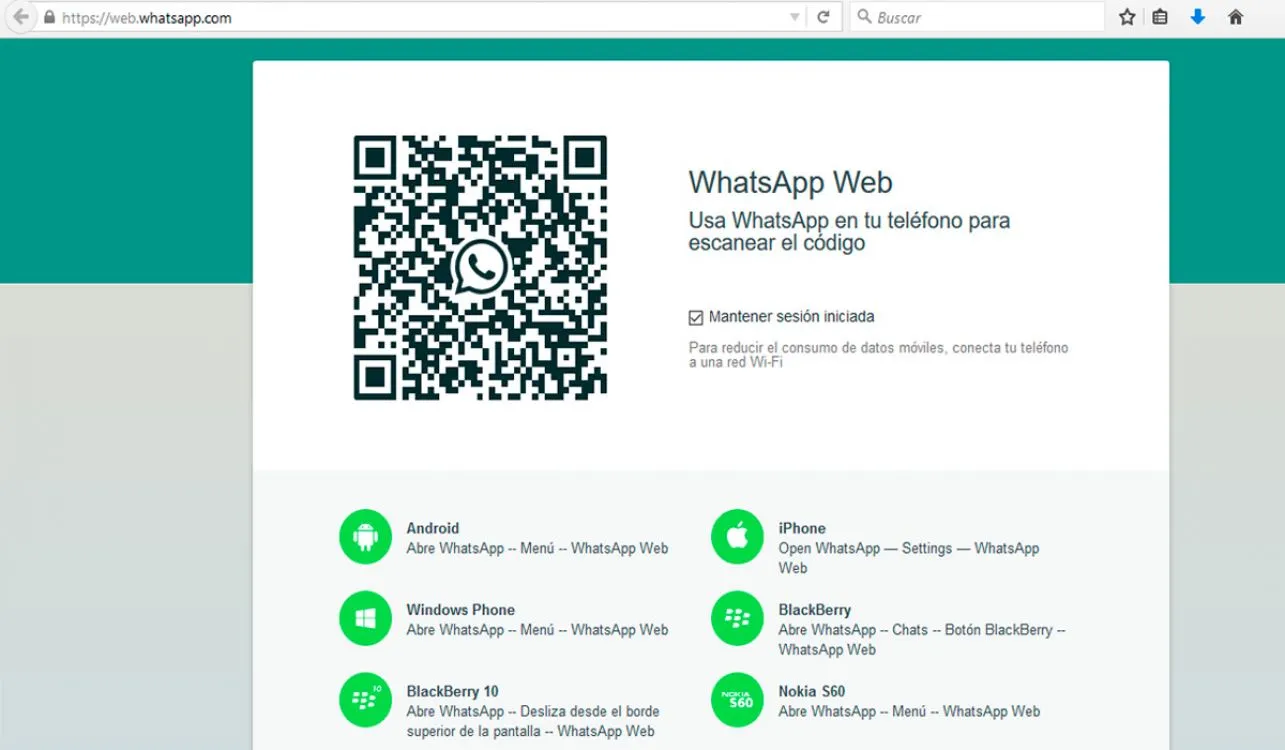
From a computer's web browser, enter the address:
Step 2
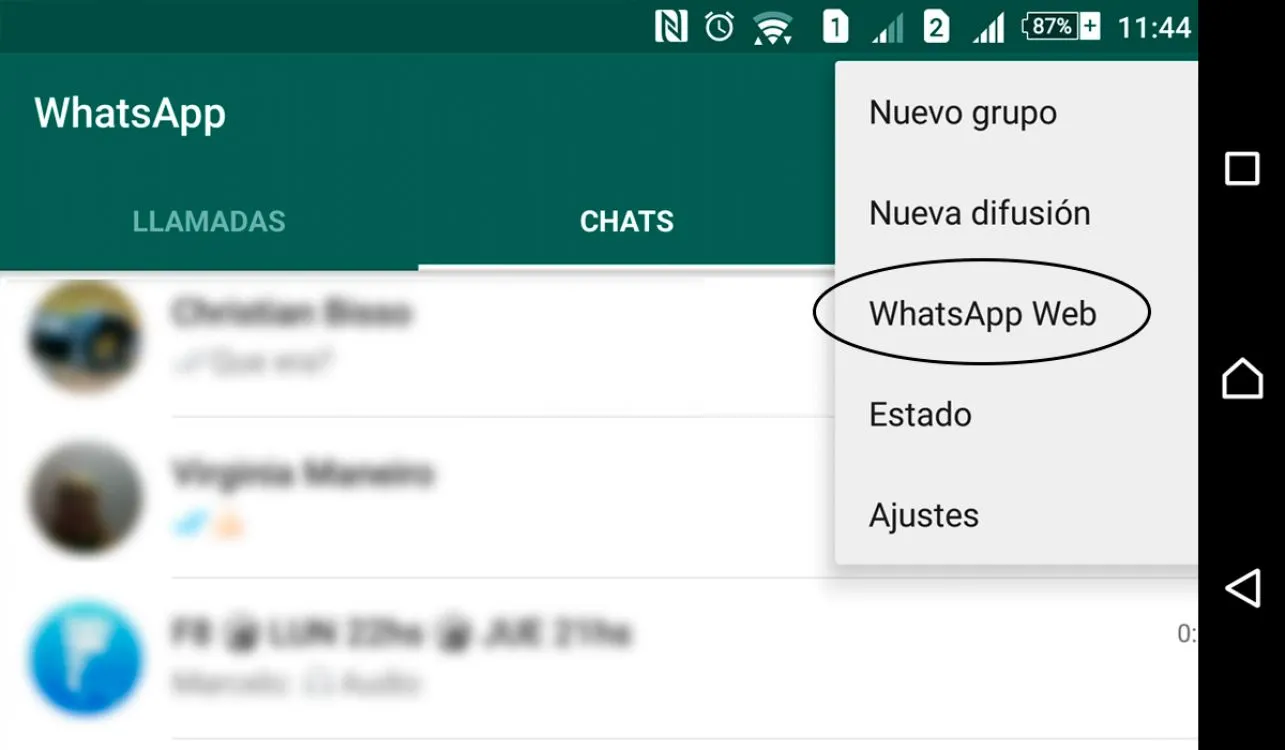
In the WhatsApp settings of your cell phone you have to go to the "WhatsApp Web" option.
Step 3
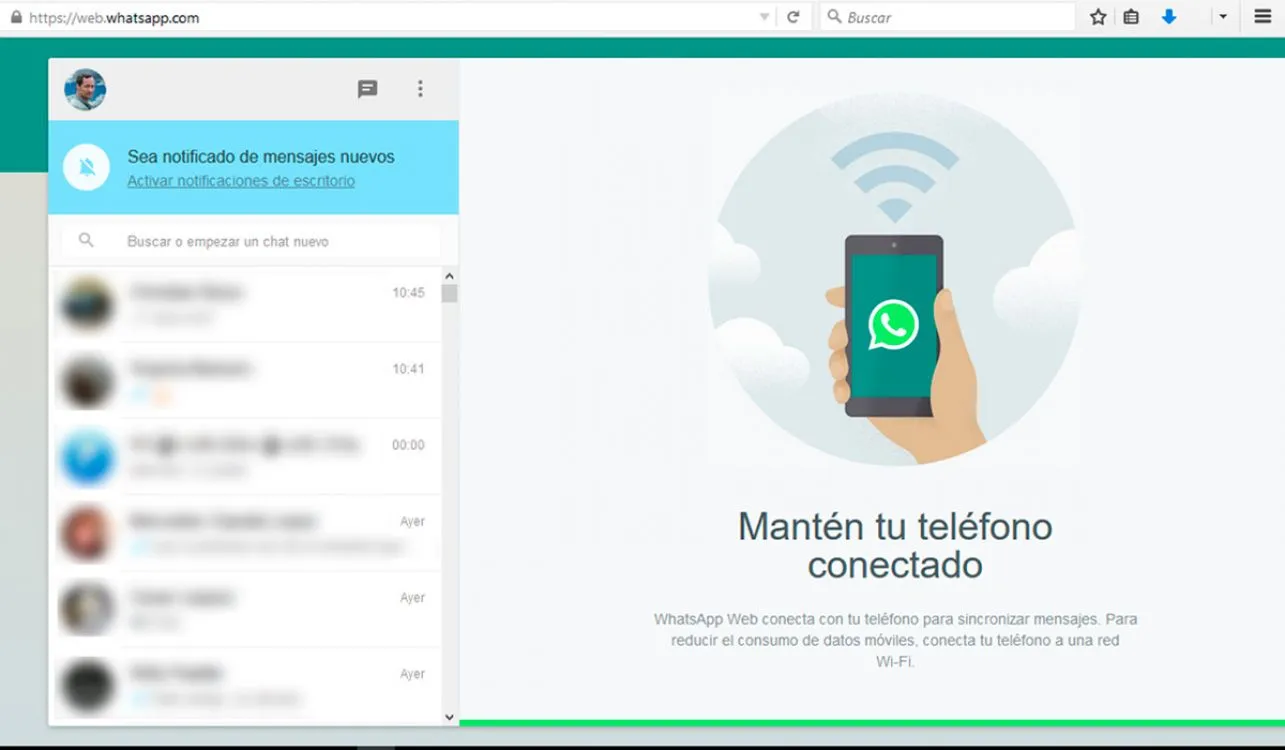
With the smartphone camera, you must point to the QR code shown on the WhatsApp Web website to establish the link with the mobile phone.
It will require one for each computer on which it is used (home, work, etc.), and that's it, you can now enjoy your WhatsApp Web
*Tip*
To avoid extra charges for mobile data usage, preferably use a Wi-Fi connection.
Updated on: 05/11/2015 00:00:00