"Handshaking": information exposed in a "handshake"
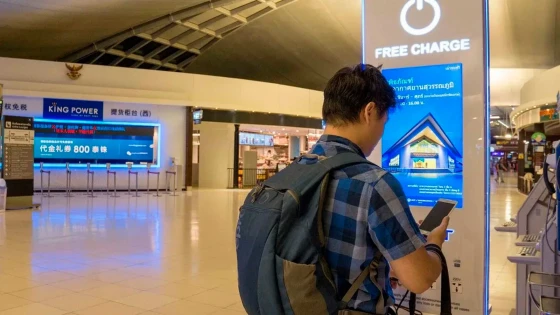
"When you connect your phone or your tablet to those public outlets, for example at the airport, if a hacker has been there before, he will be able to extract information from your device and have it at his disposal," explained Samuel Burke, CNN technology reporter, in a special program on the subject.
Cellphones are exposed along with the large amount of data they contain. They are stored when they are connected to computers during a process known as "handshaking".
In this data exchange, the phone exchanges information to the computer through the cable. And it "tells" the machine what its name is, what its manufacturer is and its serial number, what its operating system is and even its list of files.
In this way, the cell phone can become "infected" and it is possible that someone can track it using the device ID, explain the consultant's specialists.
This is what is known as "loading vulnerability" and professional hackers could be aware of it. stalking.
Among the most common consequences are that the phone is invaded with malware (malicious software) through malicious computer programs or that it is infected with a ransomware virus, capable of blocking files and asking for a ransom in return, say Kaspersky Lab.
Some of these viruses disguise themselves as official pages by superimposing windows to obtain personal and banking information from fraudulent emails. ("phishing").
"Juice-jaking": the theft of files
The technology specialist of the American newspaper The New York Times, J. D. Biersdorfer, says that "juice-jaking" (the indiscriminate and non-consensual copying of phone data) "has been tested at hacker conventions."
"It is completely possible to transfer malicious software with a phone through the USB connection from a computer or device in a charging station. such as those in airports or shopping malls," explains Biersdorfer.
"In 2016, the United States Federal Trade Commission (FTC) recommended that consumers not connect a personal smartphone to the entertainment system through a USB port or Bluetooth connection in rental cars," says the expert.
The reason, according to Biersdorfer, is that the system is capable of importing and storing data from your phone, such as call logs, contacts and locations that you have requested from the GPS.
The FTC advises, instead, using the car's electrical port and a compatible cable, instead of connecting it to the USB output.
And this is just one example of "juice-jaking."
Investigative journalist Brian Krebs, specialized in cybercrime and digital security, explains in his blog that the same risks exist in free charging points at public kiosks.
"Some people are able to cope with almost any risk to charge your cell phone battery," says Krebs.
The recommendations
- Use the encryption and authentication functions of your cell phone to protect your data and files. You will find them among the security settings.
- Use a good antivirus.
- Do not charge your cell phone on computers and charging points that you do not trust.
- If you risk charging it in a less reliable place, do not unlock it during charging.
- Use a special USB cable that allows you to charge your phone and, at the same time, prevents data transfer.
- Charge it off.
- Protect your phone with a good password.
- Be cautious with the applications you install.

Sistemas a medida y Automatizaciones
Desarrollamos sistemas a medida que automatizan procesos, mejoran la gestión y te permiten escalar tu negocio con soluciones ágiles y flexibles.