You are lost. You grab your smartphone and enable GPS to locate yourself on the map. But halfway through you are forced to put down your smartphone immediately. It cannot be manipulated. Burn! "The iPhone's temperature must decrease before you can use it," the screen says. Did this happen to you? BBC Mundo tells you what to do.
What happened? Was the phone ruined?
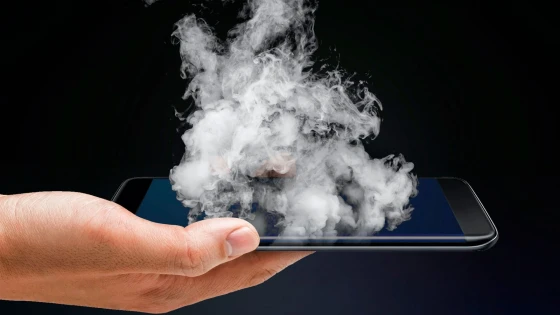
No, it wasn't ruined. Although images of devices burned due to overheating circulate on social media from time to time; the last, a Samsung Galaxy S4 from a user in Saudi Arabia with the lower part deformed by heat. That is an extreme consequence of a cell phone overheating. But there may be others, such as decreased battery life.
So the goal of the on-screen warning is precisely to avoid a situation like that, and it is due to a safety mechanism that protects the components of your device.
If this message appears, you have to turn off the device, move it to a colder environment and let its temperature drop before using it again.
The temperature that experts recommend for a smartphone is between 0 and 35 degrees. centigrade.
But why did it get too hot?
Maybe you had a heat wave of more than 40 degrees. If you also have the device exposed to direct sunlight for a long period of time, it is also essential for it to overheat.
Leaving the smartphone in the car on a hot day would have the same consequences, although overheating is not always due to the ambient temperature. The use of battery chargers that provide more current than necessary can also have this effect.
The use of GPS in the car during a long journey can also have this effect.
As well as the use of GPS, since the more the cell phone works, the more it tends to heat up, as the mathematical operations it carries out are transformed into thermal energy.
When using GPS, the device must use the sensor 100% of the time, with the screen on and connected to internet.
In the same way, the intensive use of games with high graphic quality or that are too heavy for the RAM memory and the characteristics of your cell phone's CPU can also lead to excessive heating.
So, how to avoid it?
In the last of the cases mentioned, it is advisable to evaluate the conditions of the device's hardware before downloading a game with these characteristics.
You also have to check if applications or programs are running without you realizing it. If you notice a sharp rise in temperature, disable functions such as Bluetooth or the Wi-Fi connection, you will avoid an overload of processes.
You should not have the smartphone in poorly ventilated places for a long time.
Reducing the brightness of the screen is equally advisable when playing games or movies for long periods of time. And, above all, you should not leave your smartphone in a place with poor ventilation, such as under your pillow, especially if you are charging its battery or downloading an application.
Control the temperature with apps
There are several smartphone applications on the market that, once installed, completely scan the device to determine its temperature at all times.
One of the most popular for the iOS operating system is iStat 2, a app that completely monitors the activity of an iPhone. In addition to the temperature, it shows the amount of data consumed, as well as the remaining speed.
A temperature that is too low is also harmful to the cell phone.
Another option if you have an Apple device is System Status Lite, which recognizes the applications that generate the most energy and eliminates them.
And if what you have in your hands is an Android smartphone, you could opt for the free Cooler Master application. After scanning the device to determine its current temperature, it establishes the services that cause overheating and deletes them.
You will also find other options on the market for phones with the Google operating system. Among the most interesting are Phone Overheat Alert, TempMonitor or Cpu Gauge. With them you won't have to wait to reach the critical point.
Updated on: 05/06/2023 15:42:04
Source of Information: La Nación Tecnología