Google Drive is becoming an essential service for today's internet user. This online tool allows users to store files, create documents, spreadsheets, presentations, among other options.
The Drive platform has been updated by adding new functions to its three main tools, so that users have a more complete experience.
Next, we will show you six of the new functions that this platform provides:
voice typing
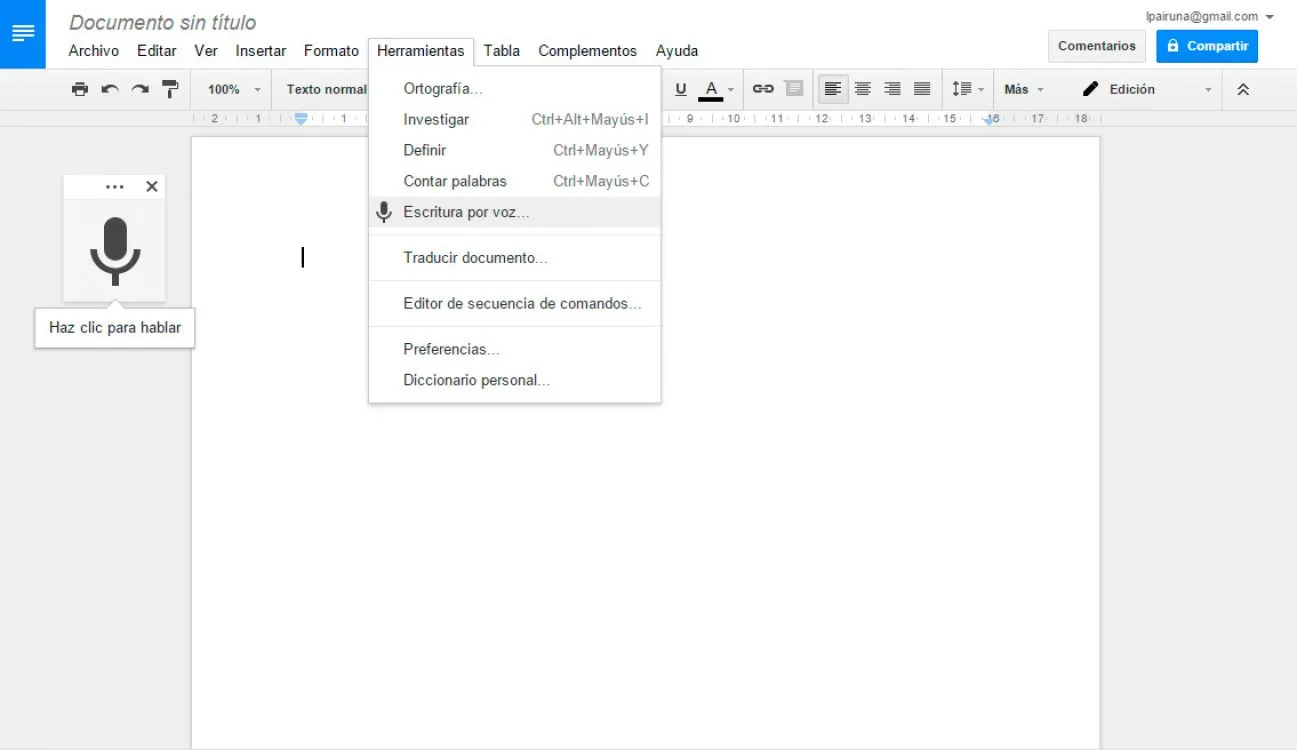
Function that allows you to write text in Google Documents using your voice.
Detects up to 40 languages. To use this feature, open a document in Google Documents, in the top menu, go to Tools and select the Voice Typing option. Click on the microphone and start talking.
The negative ... requires Chrome Browser version 25 or higher to work, we assume that it will soon be compatible with all other browsers.
Topics
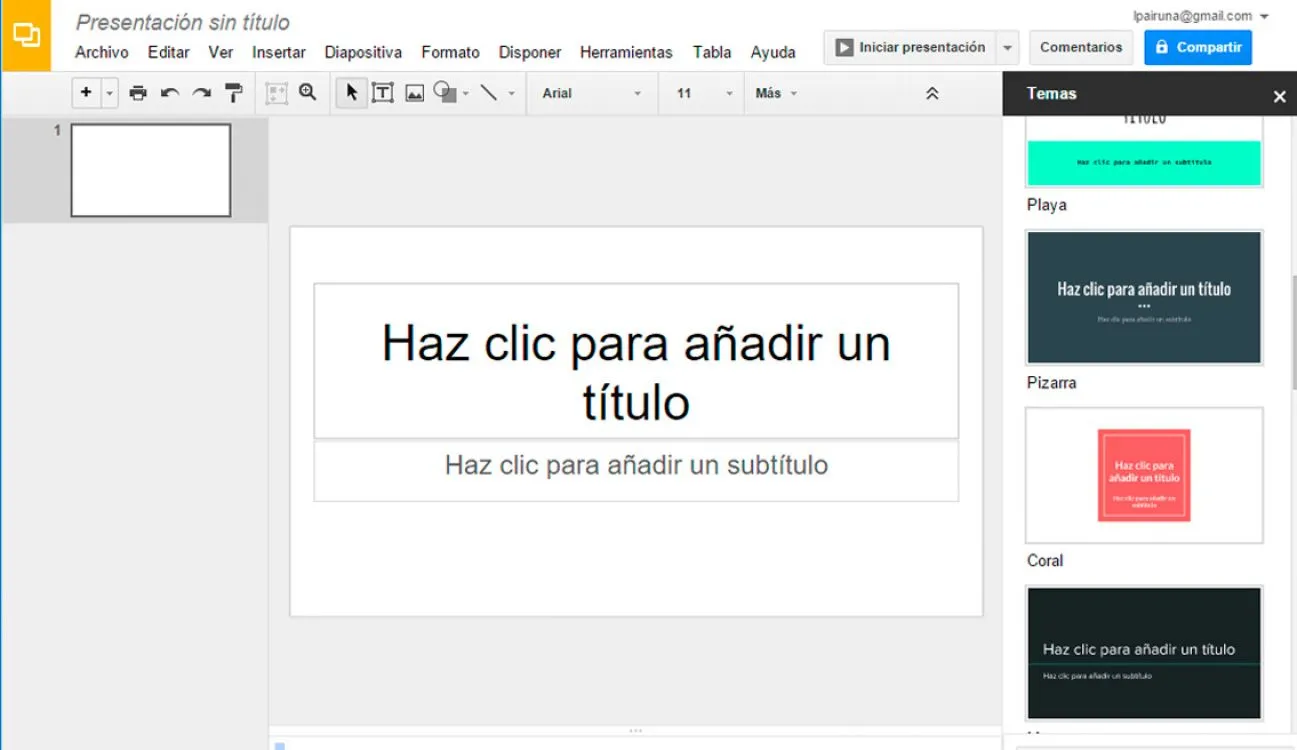
This functionality allows you to access new templates with new designs, where you can use different models of presentations, notes, budgets and resumes in the applications.
To use this new feature, go to the top of the page and select the More option.
See new changes
It is a warning button that appears in those collaborative files.
The new View new changes button allows you to view the most recent changes made by shared file collaborators. This option will appear in the toolbar, there you can see the changes recently added to the document. Let's remember that Google Drive has offered version control in the document for some time.
Automatic graph
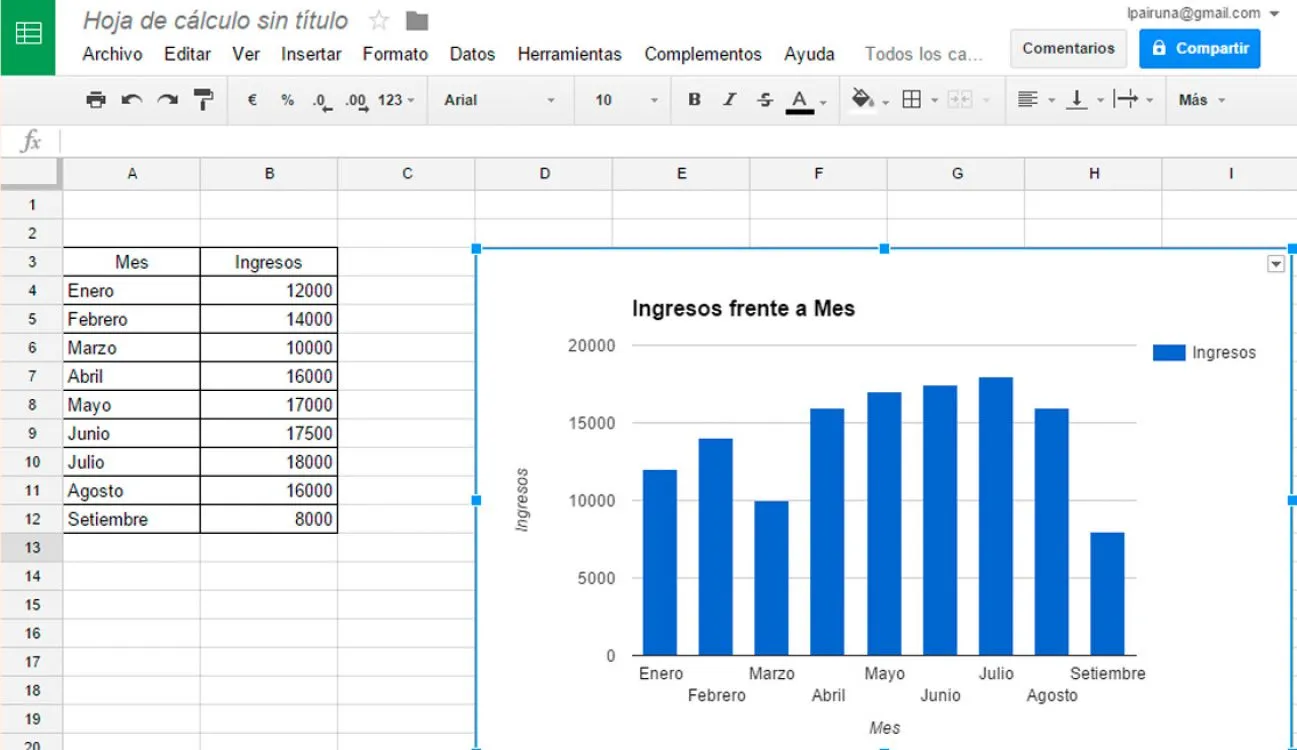
A new function was implemented in the Spreadsheets that creates automatic graphs that will help you see the data in your document in a faster and more organized way.
Google Forms
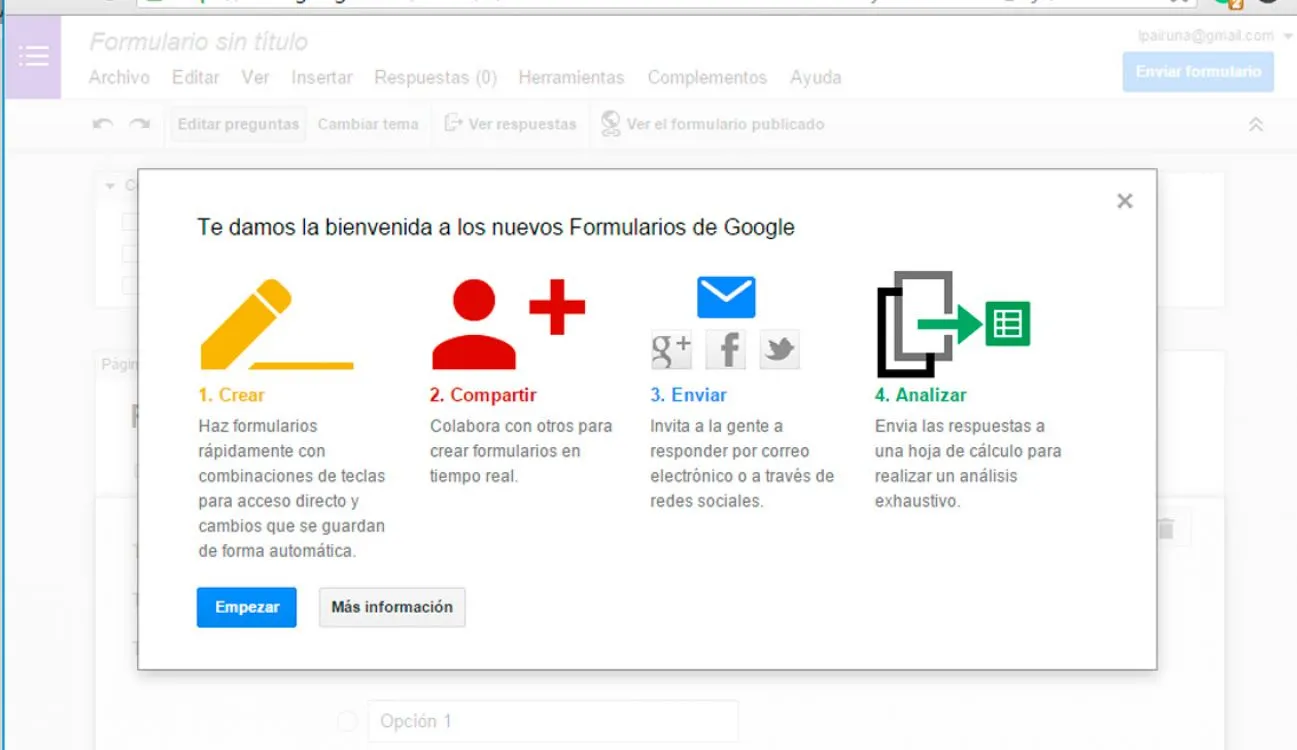
It is a practical way to conduct surveys.
Using this tool, you can customize the questions using different colors and images. It can be operated collaboratively, shared on social networks and even then analyze the results.
Investigation
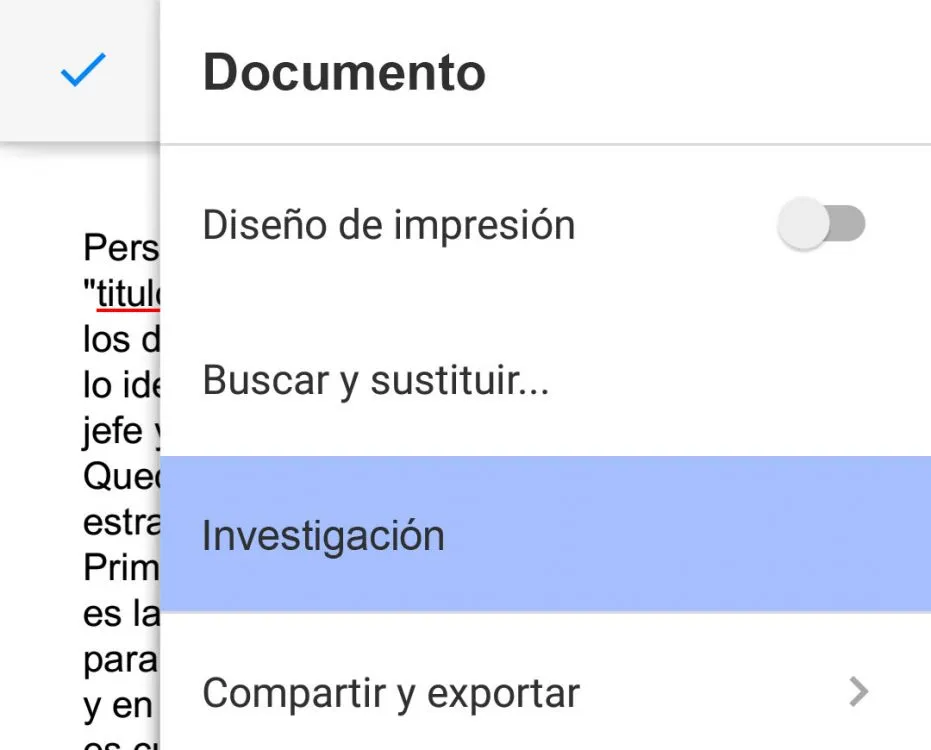
When you are in a document, you can use the Google search engine without leaving it.
This tool will allow you to search for information such as texts and photos in the Google search engine without leaving the document, so easy to do that once you find what you are looking for, you can incorporate it with a single click without problem.
And you... what do you think of these new features?
Updated on: 26/09/2015 00:00:00
Sistemas a medida y Automatizaciones
Desarrollamos sistemas a medida que automatizan procesos, mejoran la gestión y te permiten escalar tu negocio con soluciones ágiles y flexibles.