
There is no doubt that whenever we mention the video giant, we cannot help but say that its numbers are scary... more than one billion users, used in 70 countries and more than 75 languages, but it still has the limitation of not allowing you to download its videos or obtain the audio from them.
Hence the eternal question of many users: How do I download videos or songs from YouTube?
There are many tools and websites that provide us with that possibility, but today we present a fairly simple method.
Yout is a website that is entirely dedicated to providing us with YouTube content in a format convenient for downloading. How does it work? It is as simple as entering the service page, pasting the URL of the YouTube video and choosing between RECORD MP3 and RECORD MP4.
The difference between one format and the other is that the first includes only the audio of the video in question and the second will download the complete video with the image included.
There are two ways to do it:
From yout.com
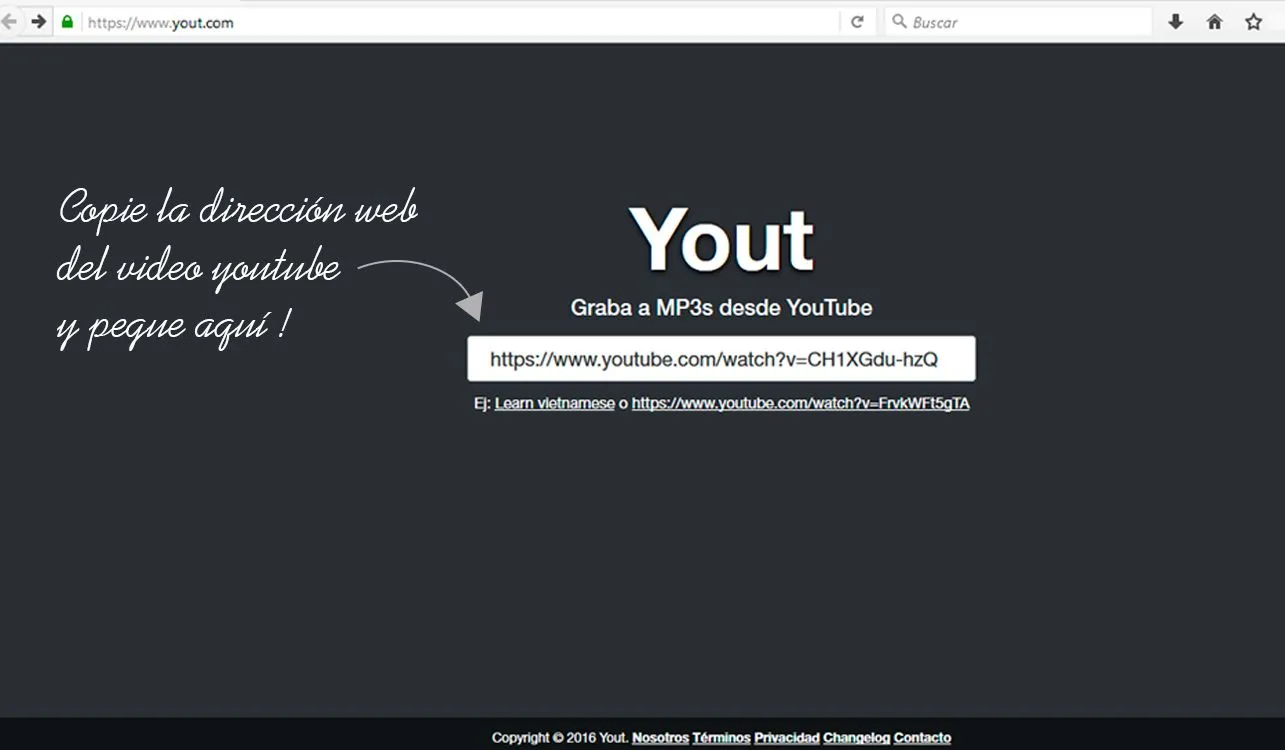
Perhaps the easiest way to convert is by entering through the website itself.
- Enter http://www.yout.com/
- Enter the web address of the YouTube video
- Press Enter or Enter
From youtube.com
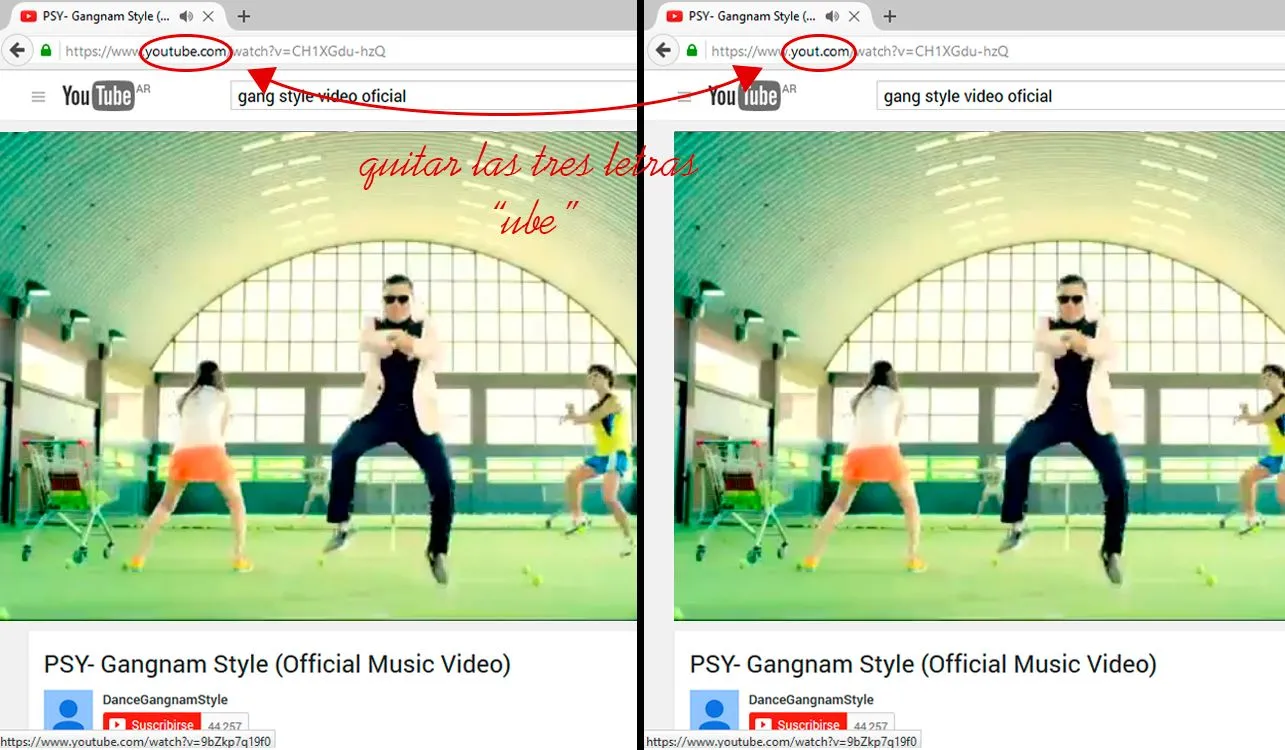
A little more complex is to do it from YouTube itself. For this you must follow the following steps:
- I enter http://www.youtube.com/
- I look for the YouTube video and choose it
- In the web address, as shown in the image (click to enlarge), you must remove the letters "ube" and press the ENTER or INTRO key
Choose format
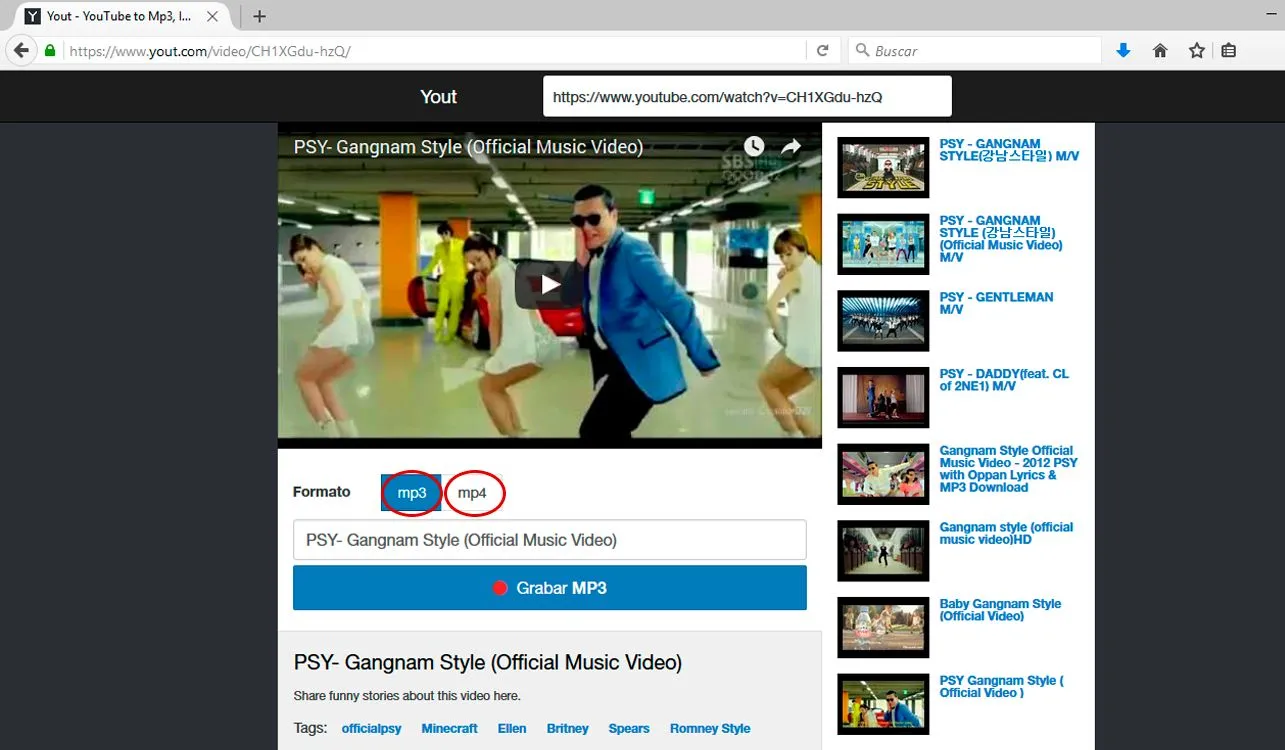
Once you have chosen step 1 or 2, you must decide if you want to download the audio or video
You choose which method is easier; it's a matter of habit.
Updated on: 29/01/2016 00:00:00