
Days ago I told you that Twitter would allow you to include surveys in your tweets through a new tool. Well, the little bird network began to gradually enable the use of this tool to a small group of users who have already begun to nourish the social network from the first surveys.
Jack Dorsey, the new CEO of Twitter, commented that the idea of the new tool was to achieve greater interactivity between users and that the social network is looking for a way to have more conversations with its users because "all opinions count."
The first sensations and some surprises
Yes It had been mentioned that the implementation was going to be gradual; where a few could test the tool (user testers); Some tweets began to be seen asking why they could not do surveys, others expressing their discomfort and of course the blessed ones who immediately began to create surveys to test the tool, the truth is that it is already among us and Twitter Surveys is no longer just a rumor.
The concept
The surveys will be visible to the users who write them, who will be able to follow the conversation and know the results through the number of votes and respective percentages. They will remain active for 24 hours where you can see a countdown with the remaining time to finish.
Participating users can rest completely calm, since Twitter does not show who the voters were, it only counts the chosen option, meaning that users will be able to vote in total anonymity.
A no less important fact, the surveys are also limited by 140 characters, from what we were able to verify in the @codedimension account, the characters of the title added to the total of the characters of the two options, must not exceed 140 characters. In my opinion, a weak point that Twitter will have to solve in the future.
Initially, it allowed only two options to be specified, they expanded the number.
How to use it?
What is happening?
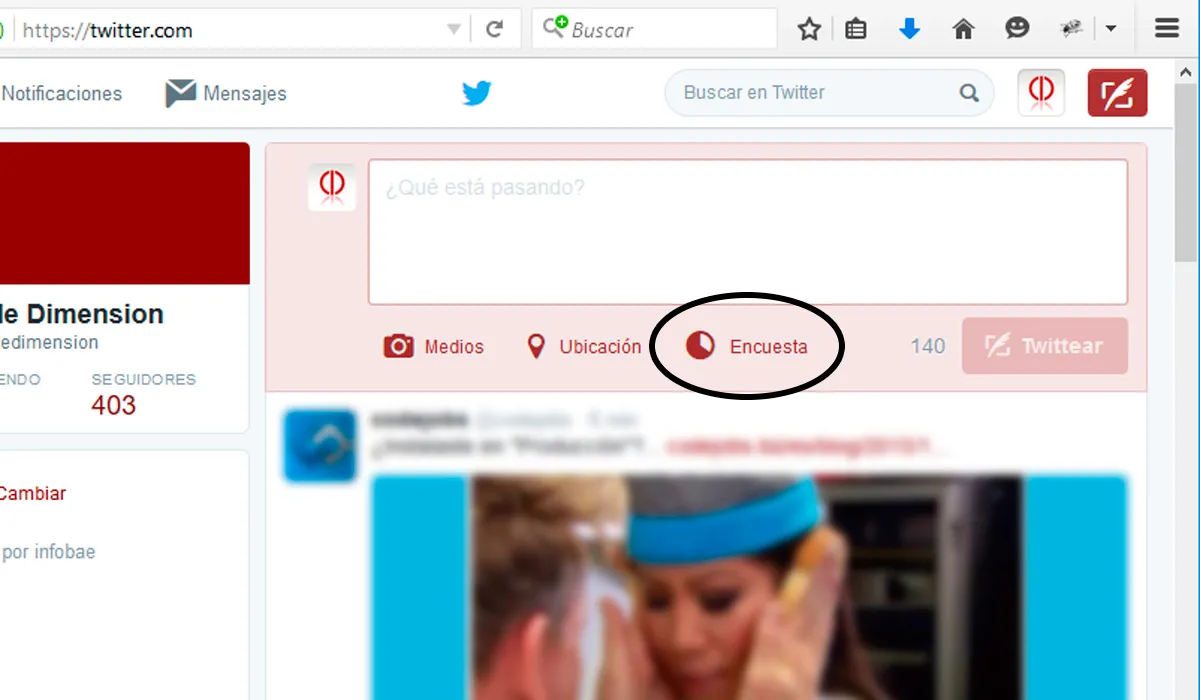
As is customary, the first thing you should do is click on the classic Twitter question to be able to tweet.
When you click, the already known options will be displayed plus a "Surveys" icon, click on it to formulate your first survey.
Complete form
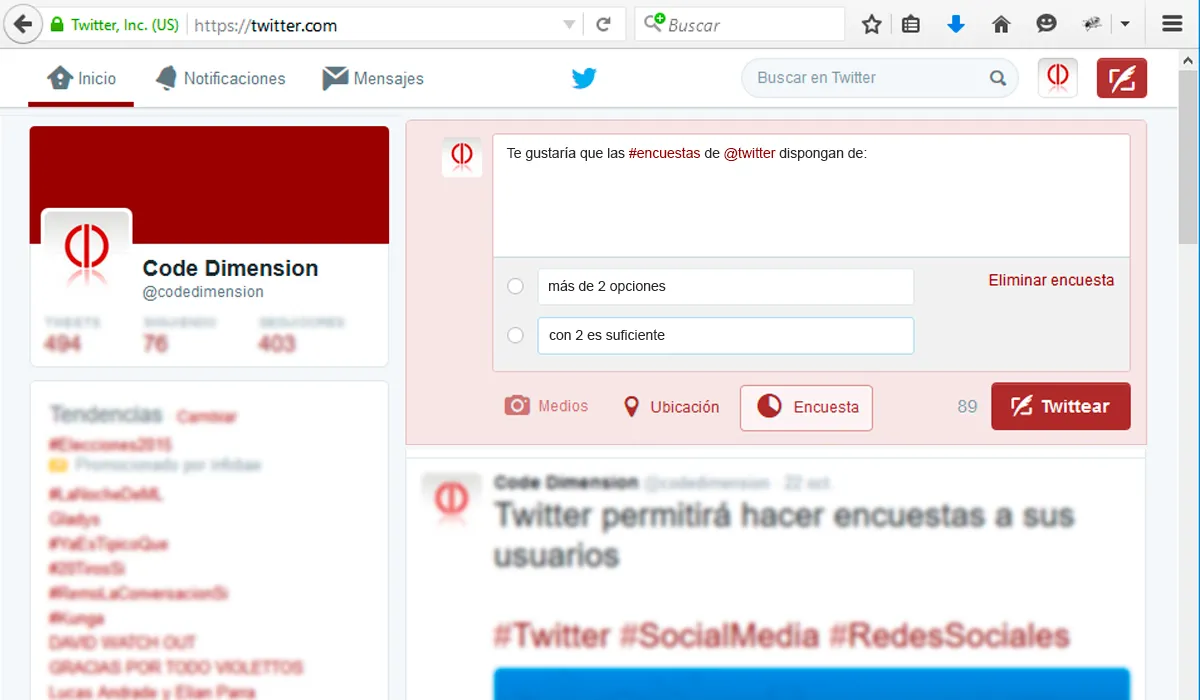
The form consists of a question and two options, you must complete them in order to take the survey. You can see the example by clicking on the photo
Confirm
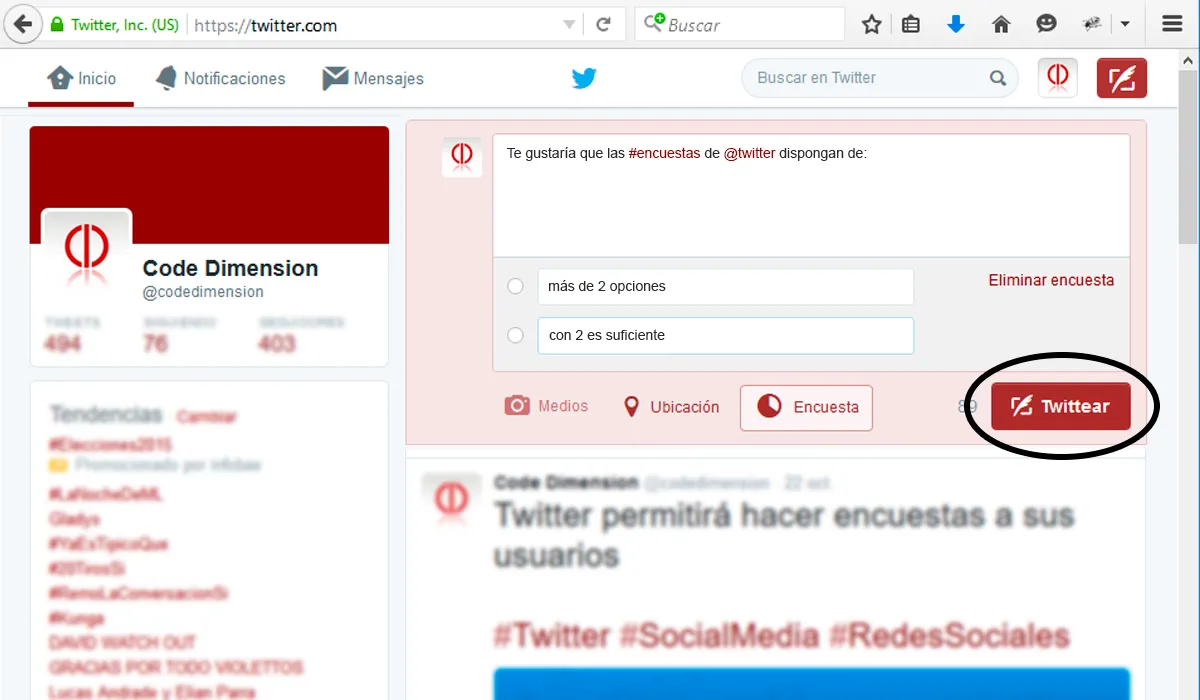
Once you completed the options, you have to confirm your survey by clicking on the Tweet button
Conclusion
There's no doubt that Twitter's new CEO knows how to generate buzz. Between controversy and a high degree of persuasion, Jack Dorsey manages to keep Twitter in the spotlight.
As for the tool itself, it's very useful and will certainly generate discussion, especially if used properly by users. Although we saw how easily a poll can be created, it still has the same limitations that the social network currently has: the famous 140 characters. We eagerly await a conceptual redesign soon.
Updated on: 08/12/2015 00:00:00

Posicionamiento SEO GEO
Optimizamos tu sitio web para que aparezca en los resultados de búsqueda y atraiga visitas de calidad, mejorando tu visibilidad online.