
The automatic playback of videos on Facebook generated annoyance among users. Although the audio is not activated when playing the video, it slows down the operation, but even worse is that it could generate unnecessary expenses for those users who do not have a free internet subscription on their mobile device, that is, anyone who does not connect via WIFI would be consuming other data.
It is not the only false move by Facebook these days, let us remember that its famous Graph API caused tremendous headaches for more than one, when the social network was unable to use and users demonstrated with hash #FacebokDown
Taking pity on these users, we teach them how to deactivate the automatic playback of videos in simple steps:
PC version / Step 1 of 3
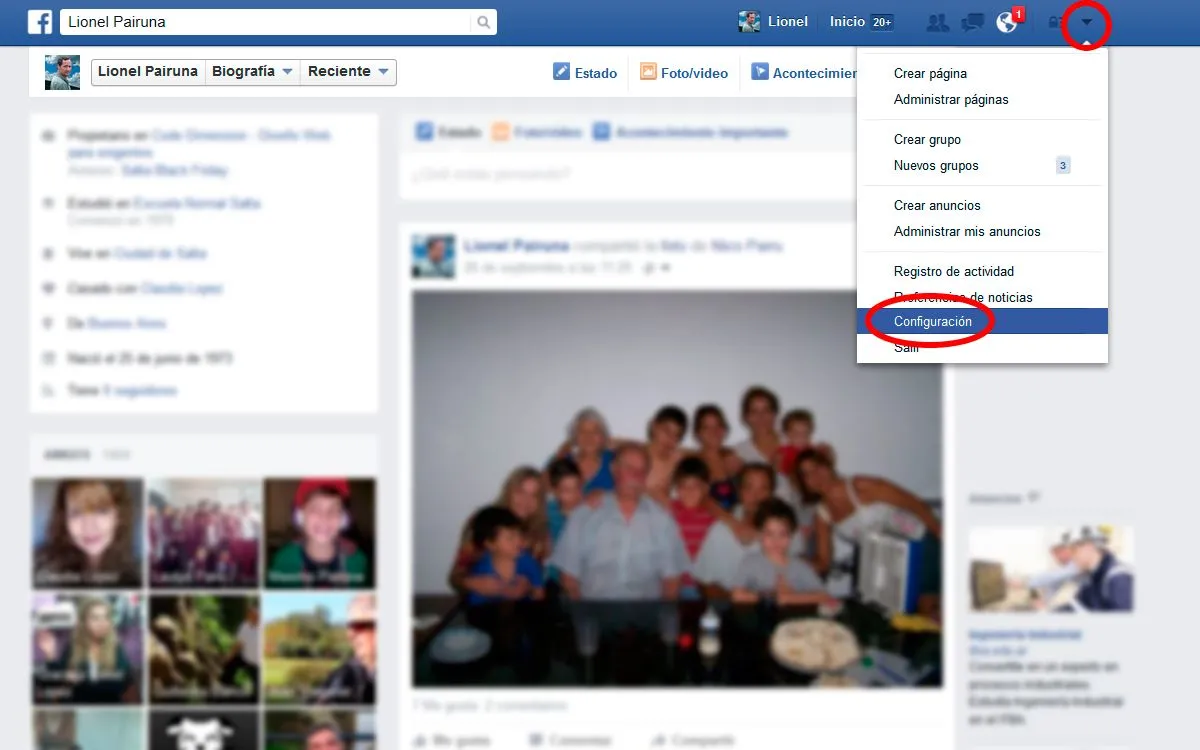
Go to the top menu, click on the options arrow, and when the menu appears, choose Settings
PC version / Step 2 of 3
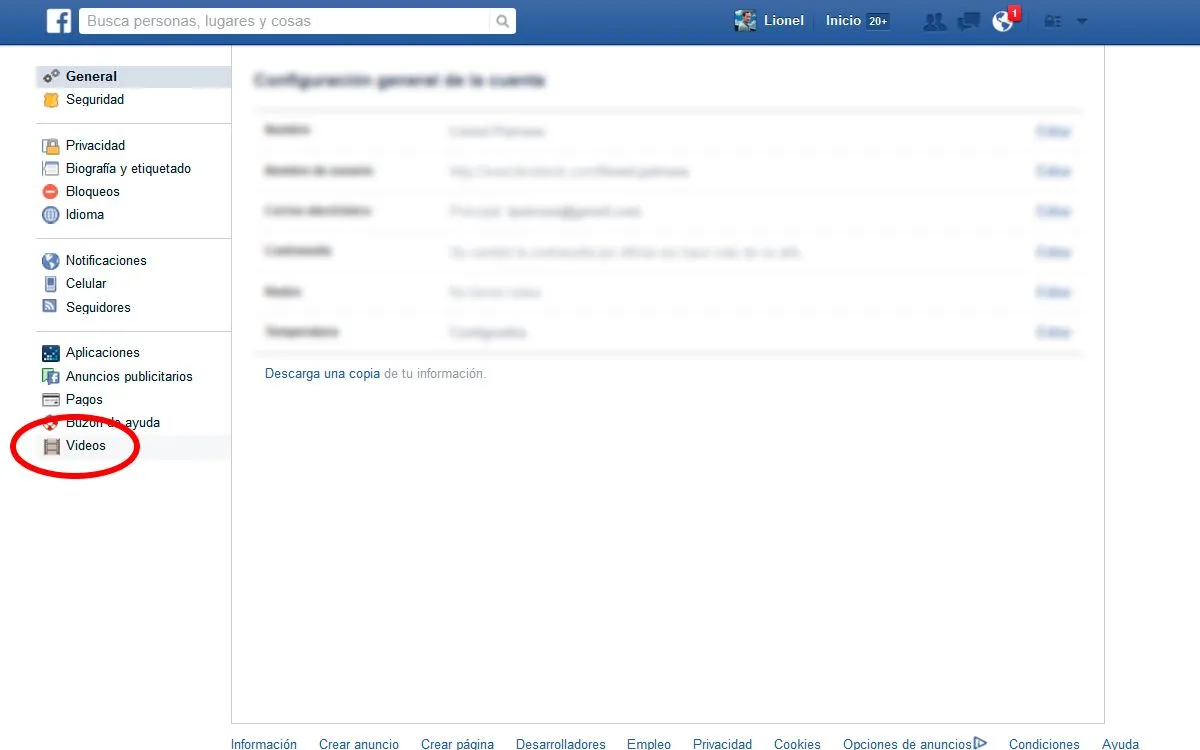
A new screen will appear, in the left sector choose Videos, as shown in the image
PC version / Step 3 of 3
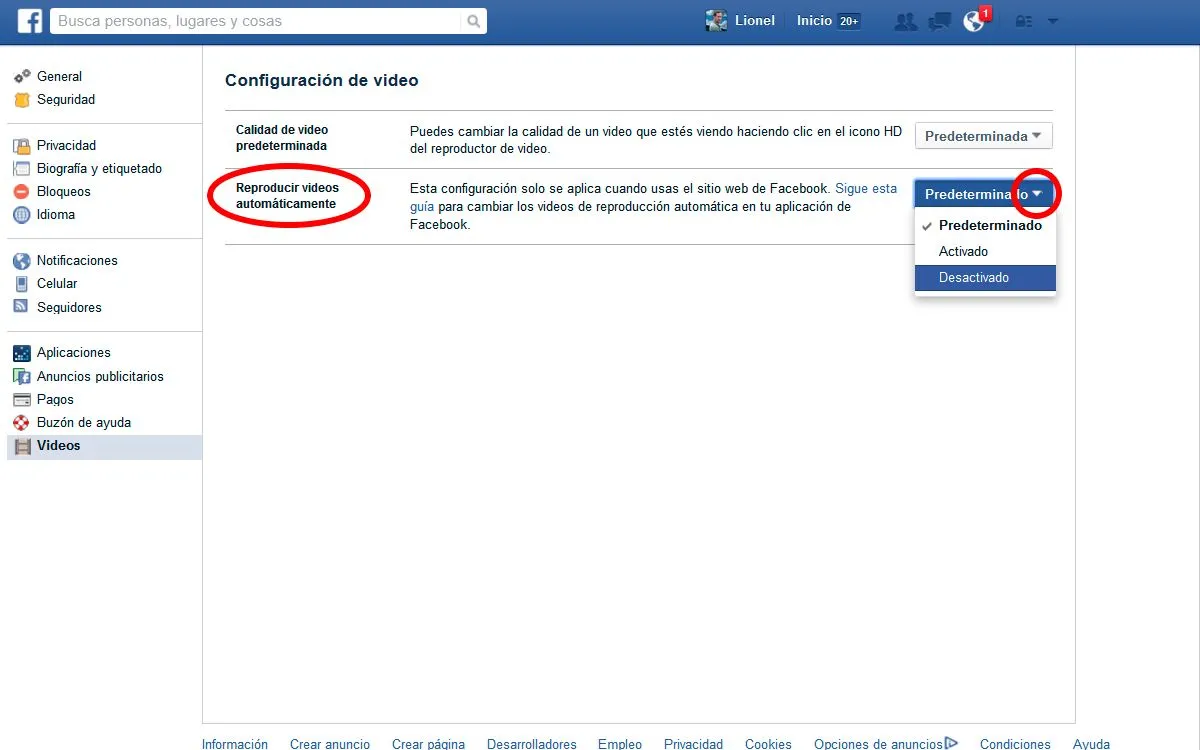
Finally, on the new screen, look for the Automatic Video Playback item, and click on the button on the right to display the options and choose Disabled
Mobile Version / Step 1 of 3
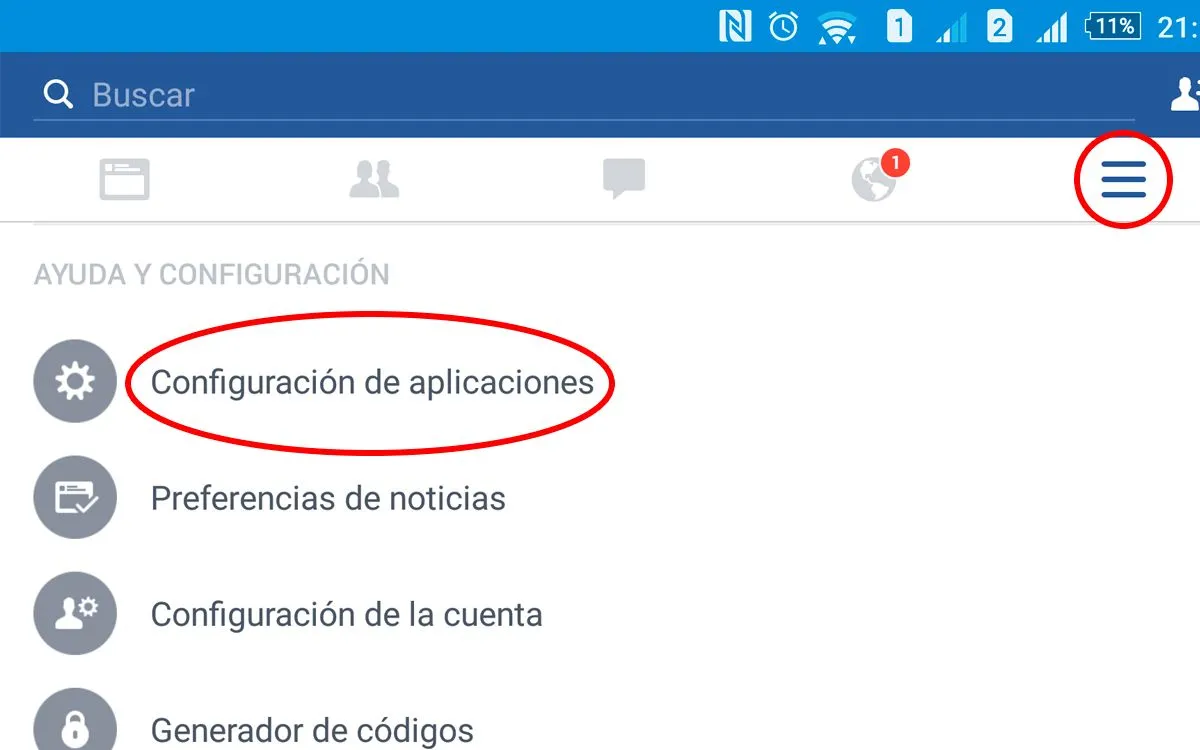
On the right side, enter Settings (icon with three horizontal stripes) and click on it.
You must slide the screen until you find the "Help and Settings" section, look for the "Application Settings" option, click
Mobile Version / Step 2 of 3
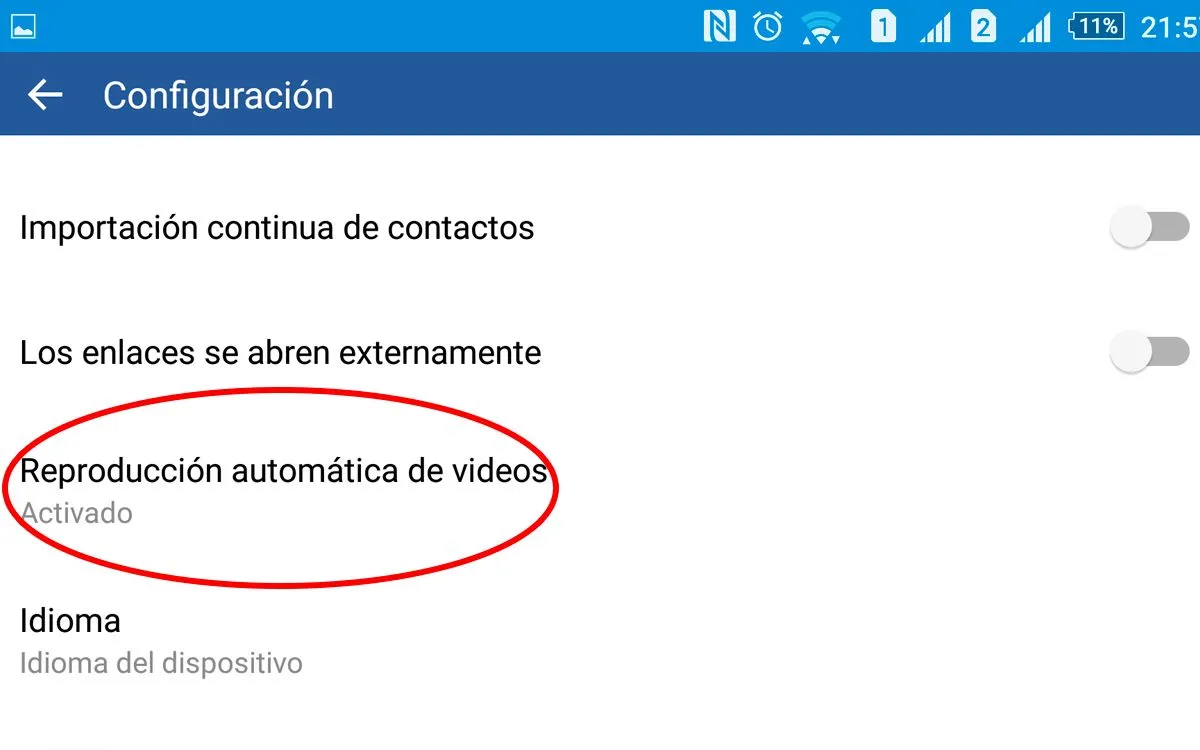
Look for the Automatic video playback option, click on it.
Mobile Version / Step 3 of 3
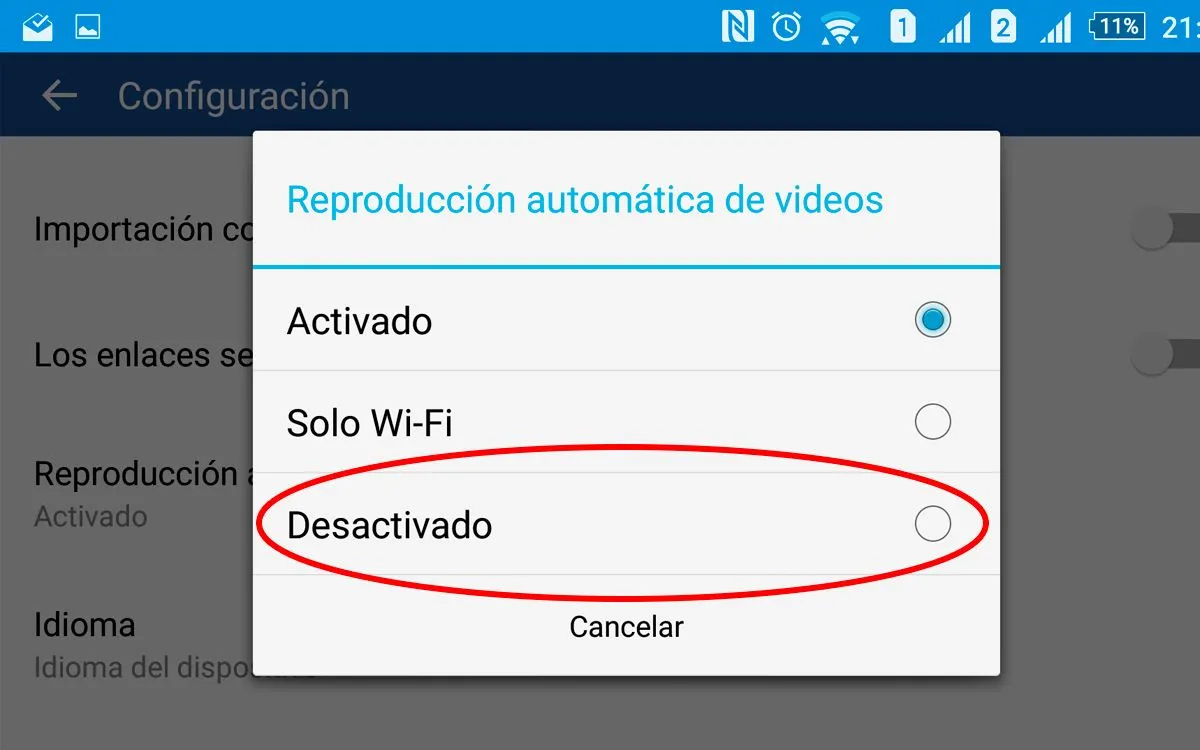
Finally three options will appear, choose “Off” to remove auto-playing videos and that's it.
Updated on: 01/10/2015 00:00:00

Posicionamiento SEO GEO
Optimizamos tu sitio web para que aparezca en los resultados de búsqueda y atraiga visitas de calidad, mejorando tu visibilidad online.