Introduction
It has been a long time since the cell phone stopped being just a contact book and some messages. The modern smartphone contains all types of information, which is often sensitive and worthy of being protected by its user.
WhatsApp conversations, gallery photos, emails, applications with notes or finances and settings that compromise the privacy of the device are just some of the things that we may need to protect.
Although phones support establishing a security PIN or unlock pattern, we often find ourselves in the situation of having to lend the device to a family member, friend or colleague, and that's where the nerves begin because they don't know what they are going to try to open and what data may be found when doing so.
CM Security
CM Security is a security app that integrates an antivirus and a blocking system for our smartphone. It is already used by more than 500 million users and has been chosen as the best of its kind by AV-TEST, a German security products organization.
How does CM Security work?
If someone tries to open a protected app without the code, the front camera will take a photo.
Once the app is installed, it allows us to perform computer security analysis, cleaning malicious programs but also scanning for temporary and Internet cache residues, which slow down the computer. system and that CM Security optimizes with a simple touch.
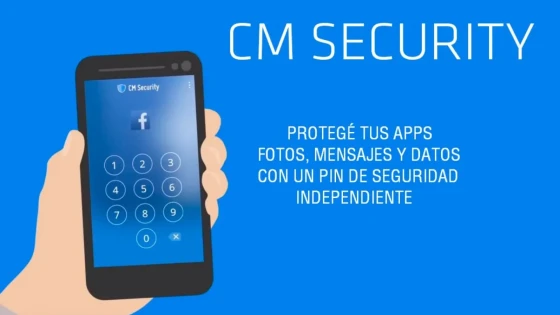
The most interesting thing without a doubt is the protection that the application includes. If we go to the AppLock segment within CM Security we can block access to any app that we do not want to be accessed by anyone. When securing an app we will have to establish a security pin which will be requested every time we want to open said program.
The PIN is different from the one we use to unlock Android when the phone is suspended, so we can lend the cell phone to someone, give them the screen unlock PIN, but not give them access to the App or place in the system that we have restricted with CM Security, to access that section they will need the independent PIN that only we should know.
What happens if someone tries to open the app What have we protected?
You will be asked for the security PIN. If you do not know it and enter it incorrectly the second time this happens, CM Security will take a photo with the front camera, so that the next time we enter the correct password, it will warn us that someone tried to violate the privacy of the device.
Additionally, every time we install a new app on the smartphone CM Security will scan the code in search of malware, protecting our phone from a virus that we accidentally download to the system. The security program also performs scans on the cell phone's memory card. CM Security is currently available for Android for free.
Updated on: 30/10/2015 00:00:00
Source of Information: SoyTecno
Disclaimer: The information presented does not constitute financial, investment, commercial or other advice and is solely the opinion of the writer. By using the information on this site, you agree that we are not responsible for losses, damages or injuries arising from the use or interpretation of the information.

Soporte Web y mantenimiento
Nos encargamos de mantener tu sitio web o sistema actualizados, seguros y funcionando correctamente.